Keep your distributors and suppliers on the Admin → Vendors page, then assign one to a product from its Inventory editor.
A step-by-step walkthrough with real screenshots · FoolProof POS for alcohol retail
1. Add a vendor
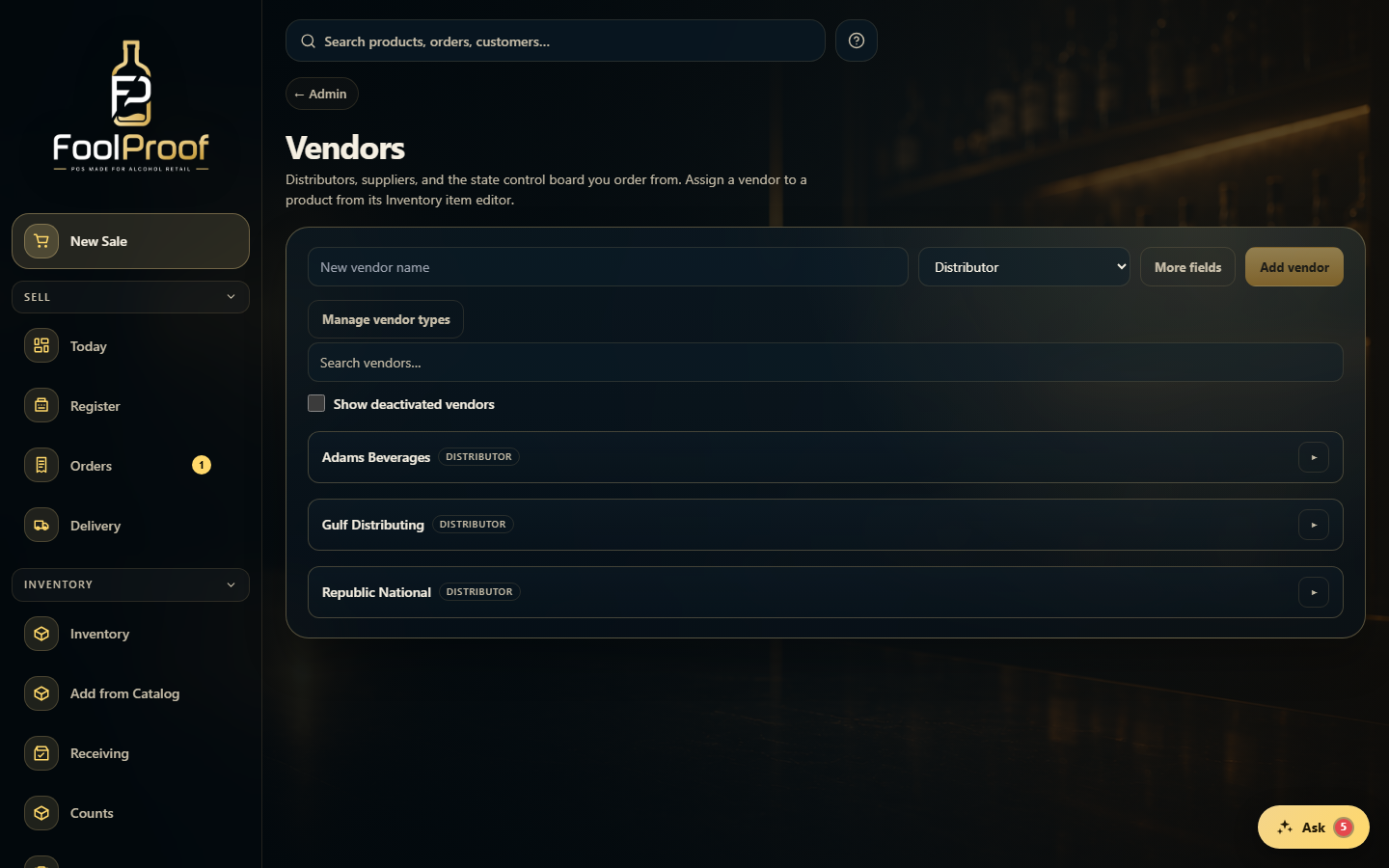
Under Admin → Vendors, type a new vendor name, pick a type, and Add vendor. 'Manage vendor types' lets you add your own categories; 'More fields' captures contact and terms up front.
12
1Type a name, pick a type, and Add vendor.
2Your vendors — click one to expand and edit it.
2. Edit a vendor
Click a vendor to expand it and edit contact details, account number, payment terms, min order, lead time, and order day, then Save. To link a vendor to a product, choose it in that item's Inventory editor.
1
1Contact, account number, payment terms, lead time, min order, and order day — then Save.
 12
12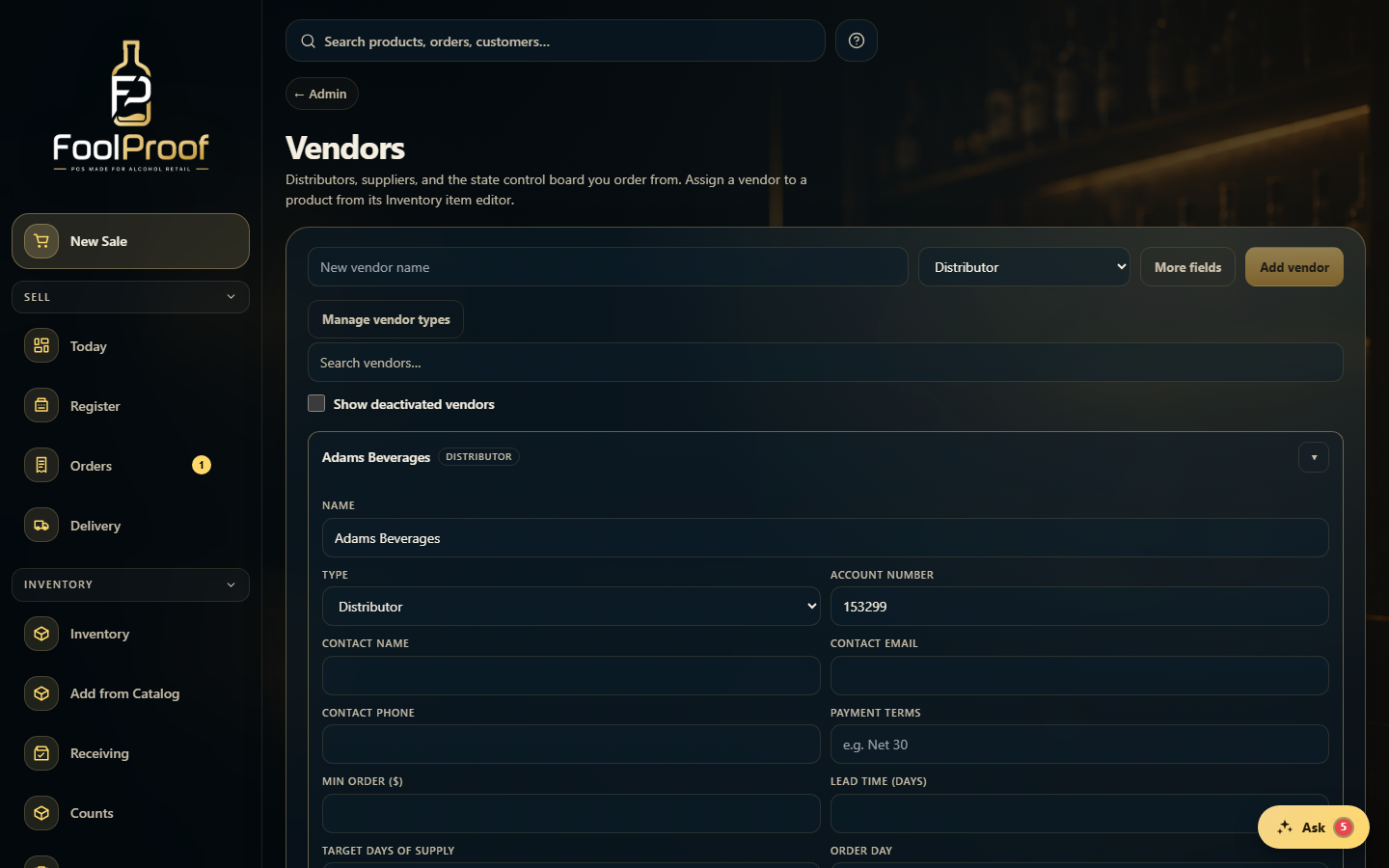 1
1