Manage your team on the Employees page — invite staff by email, create PIN-only floor staff, assign roles and stores, and set clock PINs.
A step-by-step walkthrough with real screenshots · FoolProof POS for alcohol retail
1. Add someone
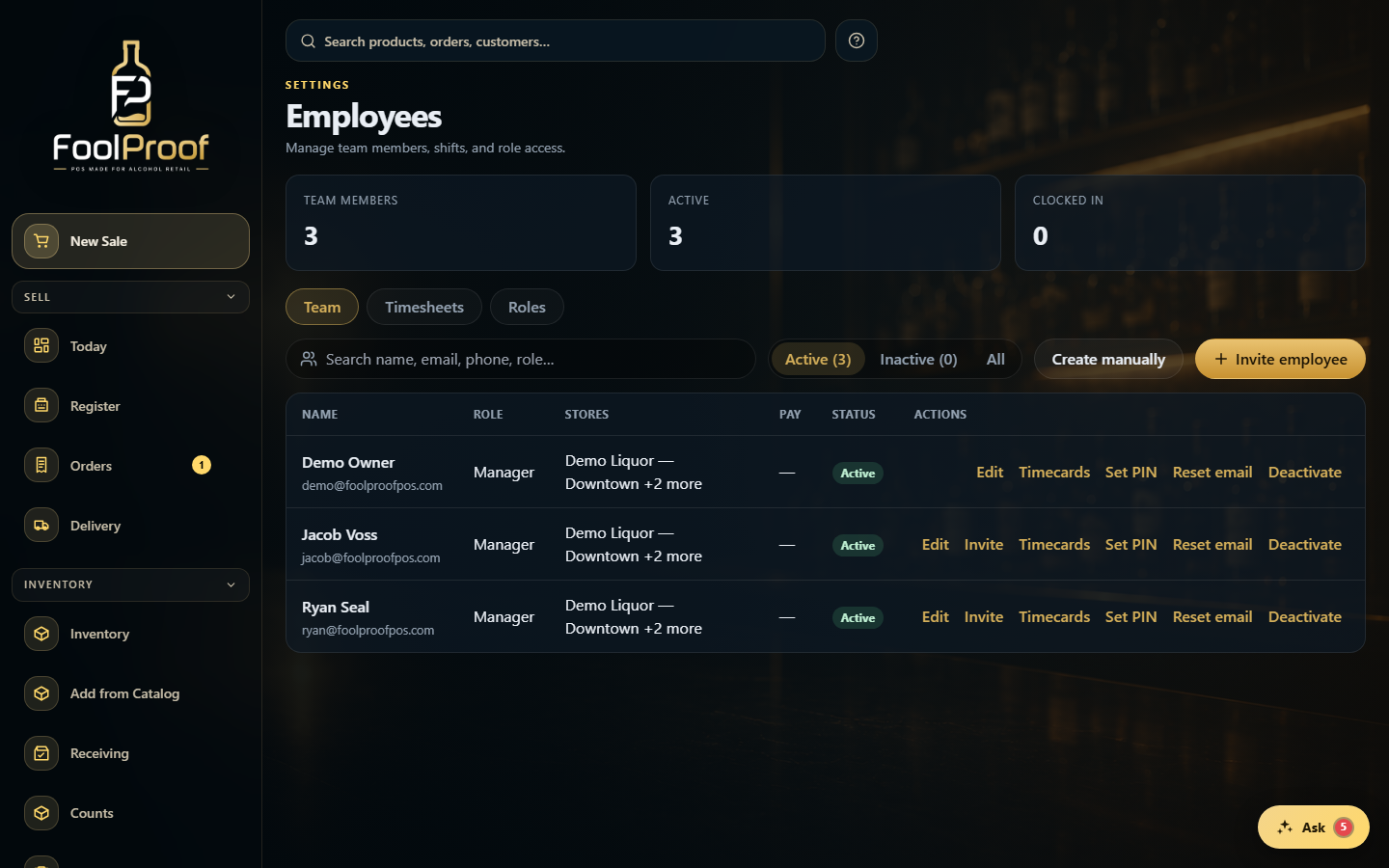
From the Team tab you add and manage everyone. Invite employee is for people with an inbox; Create manually is for floor staff; each person's row carries the rest of the actions.
12
1Invite employee (email) or Create manually (PIN-only floor staff).
Invite employee emails a link to set their own password. Enter their email, choose a role and which stores they can access, then Send invite.
12
1Enter their email, pick a role and which stores they can access.
2Send invite emails them a link to set their own password.
3. Or create PIN-only staff
Create manually is for staff without email — enter their name, role, and pay, leave the password blank, and Save. They use a clock PIN to clock in and ring.
12
1Name and phone for floor staff; leave the password blank — they use a clock PIN.
2Save — they can clock in and ring with their PIN.
 12
12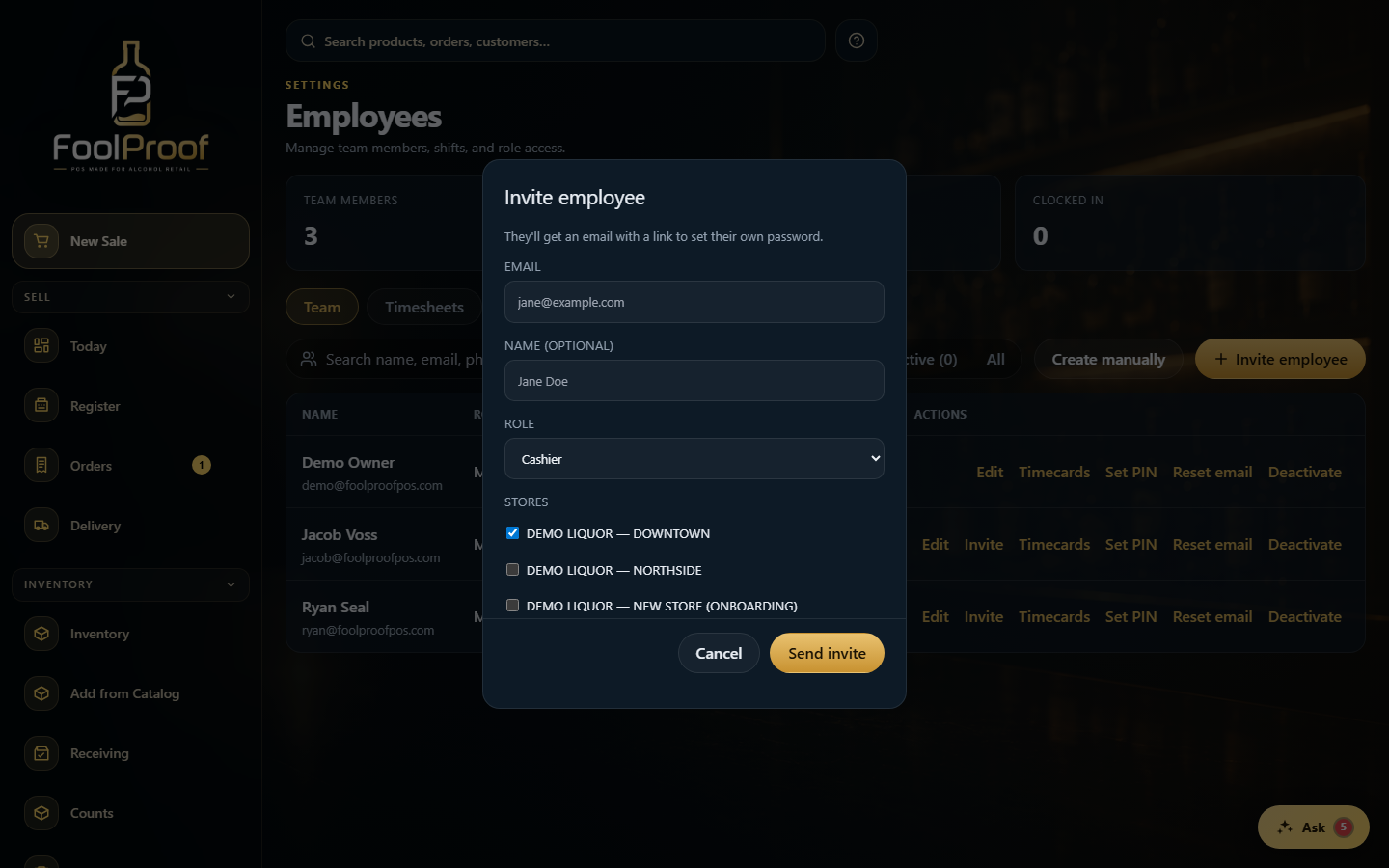 12
12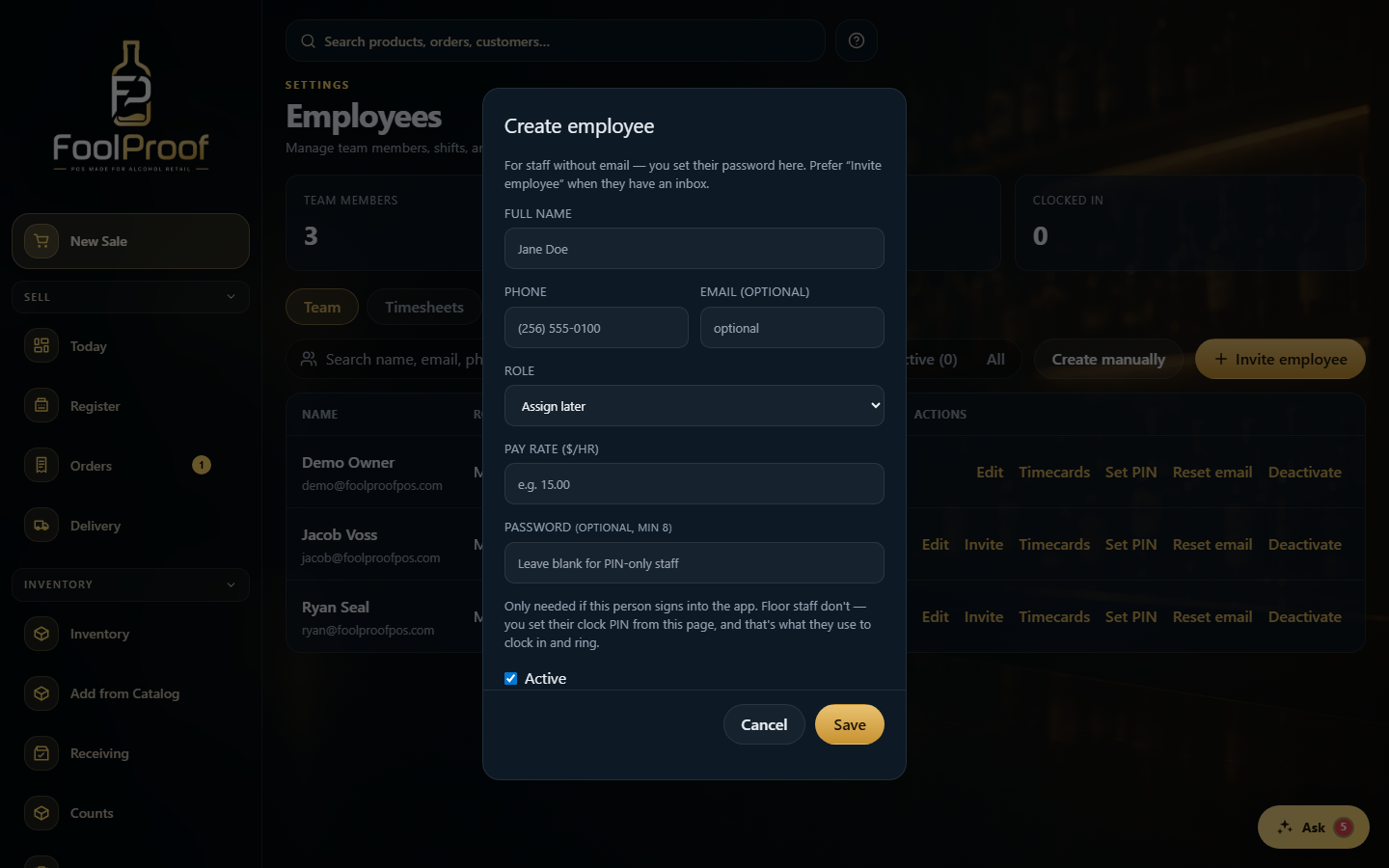 12
12