Change a product's shelf price inline from the Inventory items grid, or on the product's own page.
A step-by-step walkthrough with real screenshots · FoolProof POS for alcohol retail
1. Find the product
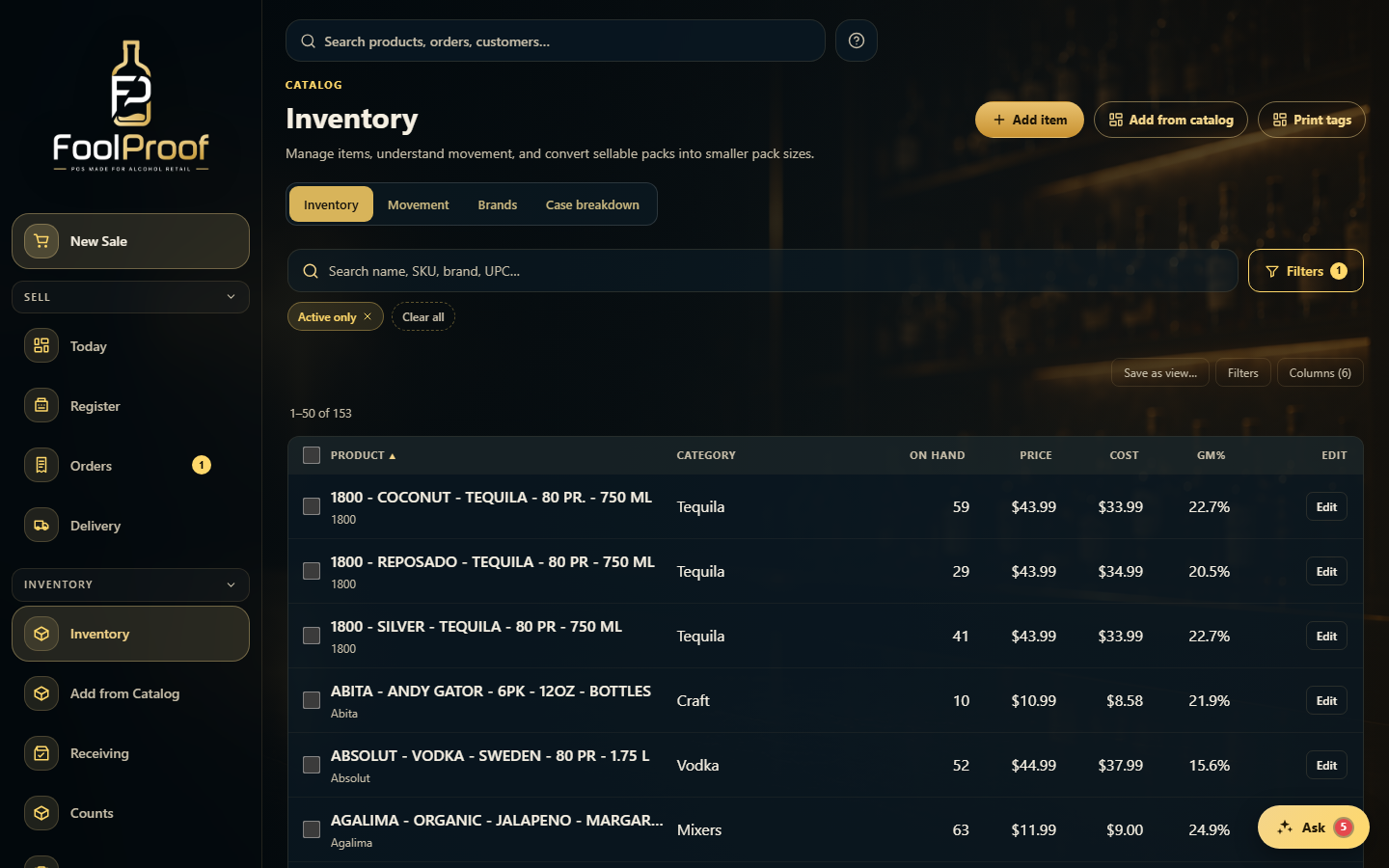
Open Inventory (the items view) and find the product with search or filters. Each row shows its price, cost, and margin — click Edit at the end of the row.
12
1The shelf Price for each product (Cost and margin sit right beside it).
2Click Edit on the product's row.
2. Change the price and save
The row's cells become editable. Type the new price (and cost, if needed) and click Save — every price change is recorded in the product's price history.
12
1The Price (and Cost) cells become editable — type the new number.
2Click Save; the change is logged in the product's price history.
 12
12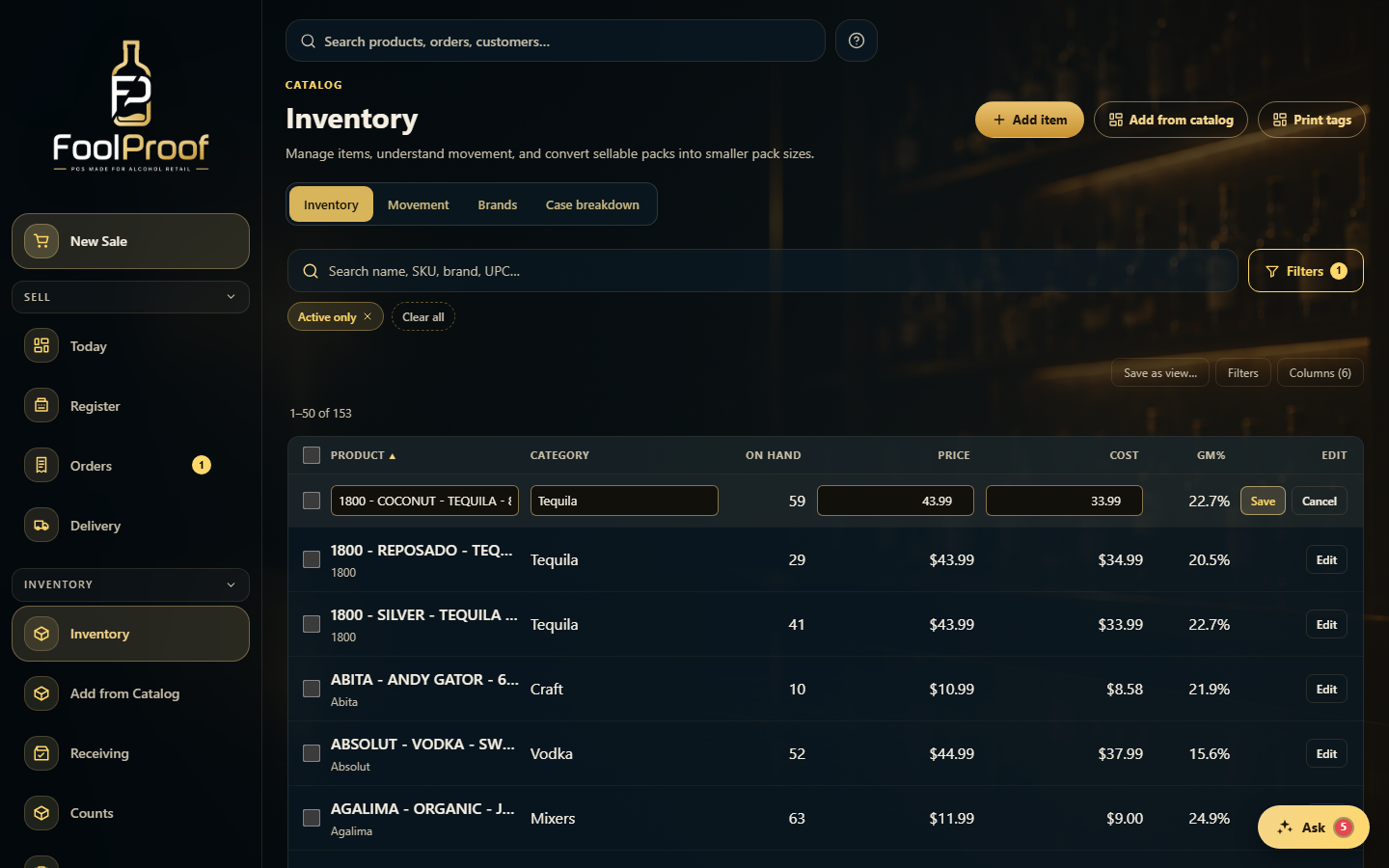 12
12