Edit store settings, tax profiles, and storefront pages
Configure your business details, sales-tax rates, public storefront, and content pages from the Admin hub.
A step-by-step walkthrough with real screenshots · FoolProof POS for alcohol retail
1. Storefront and content pages
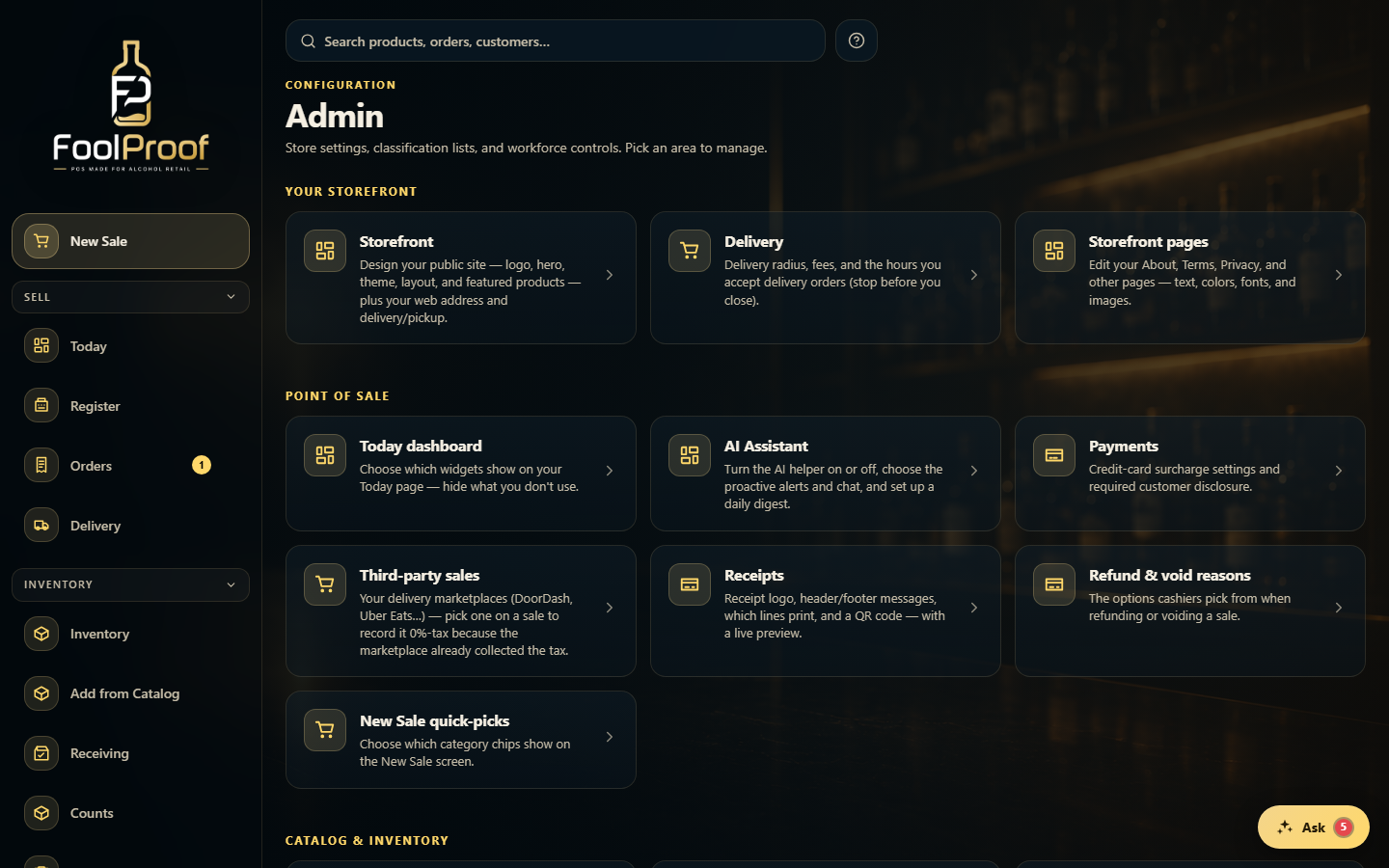
Under Your storefront, Storefront designs your public site (logo, hero, theme, layout, web address, delivery/pickup) and Storefront pages edits your About, Terms, and Privacy.
12
1Storefront designs your public site.
2Storefront pages edits About, Terms, and Privacy.
2. Tax and business details
Sales tax rates (the tax choices on New Sale) sit under Point of sale; your legal Business details, license, and tax rate are under Business & locations further down. Each opens its own sub-page — save there before you leave it.
1
1Point of sale holds Sales tax rates and Receipts; scroll to Business & locations for Business details.
 12
12