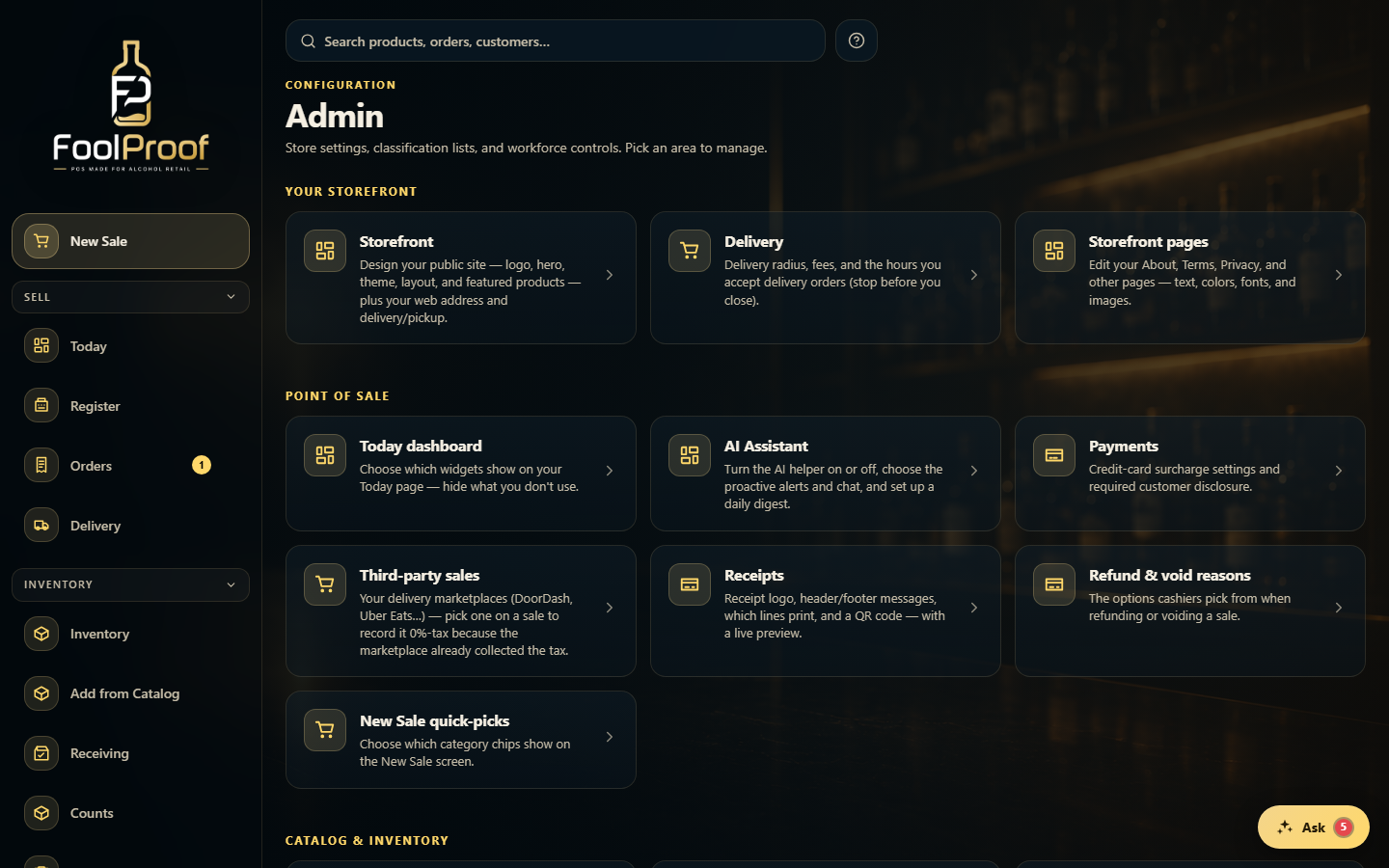
The Admin page is a hub of tiles that link to every store-configuration area, grouped by what they control.
A step-by-step walkthrough with real screenshots · FoolProof POS for alcohol retail
1. A hub of settings tiles
Admin groups every store setting into tiles by what they control — Your storefront, Point of sale, Catalog & inventory, Business & locations, and Hardware & printing. Pick the tile for what you want; each opens its own sub-page.
12
1Your storefront — the public site, delivery rules, and content pages.
2Point of sale — Today widgets, AI Assistant, Payments, Receipts, and refund reasons. Scroll for Catalog and Business.
 12
12