The Refused Sales page records every sale you turned away and keeps the log as your dram-shop / liability defense.
A step-by-step walkthrough with real screenshots · FoolProof POS for alcohol retail
1. Log a refusal
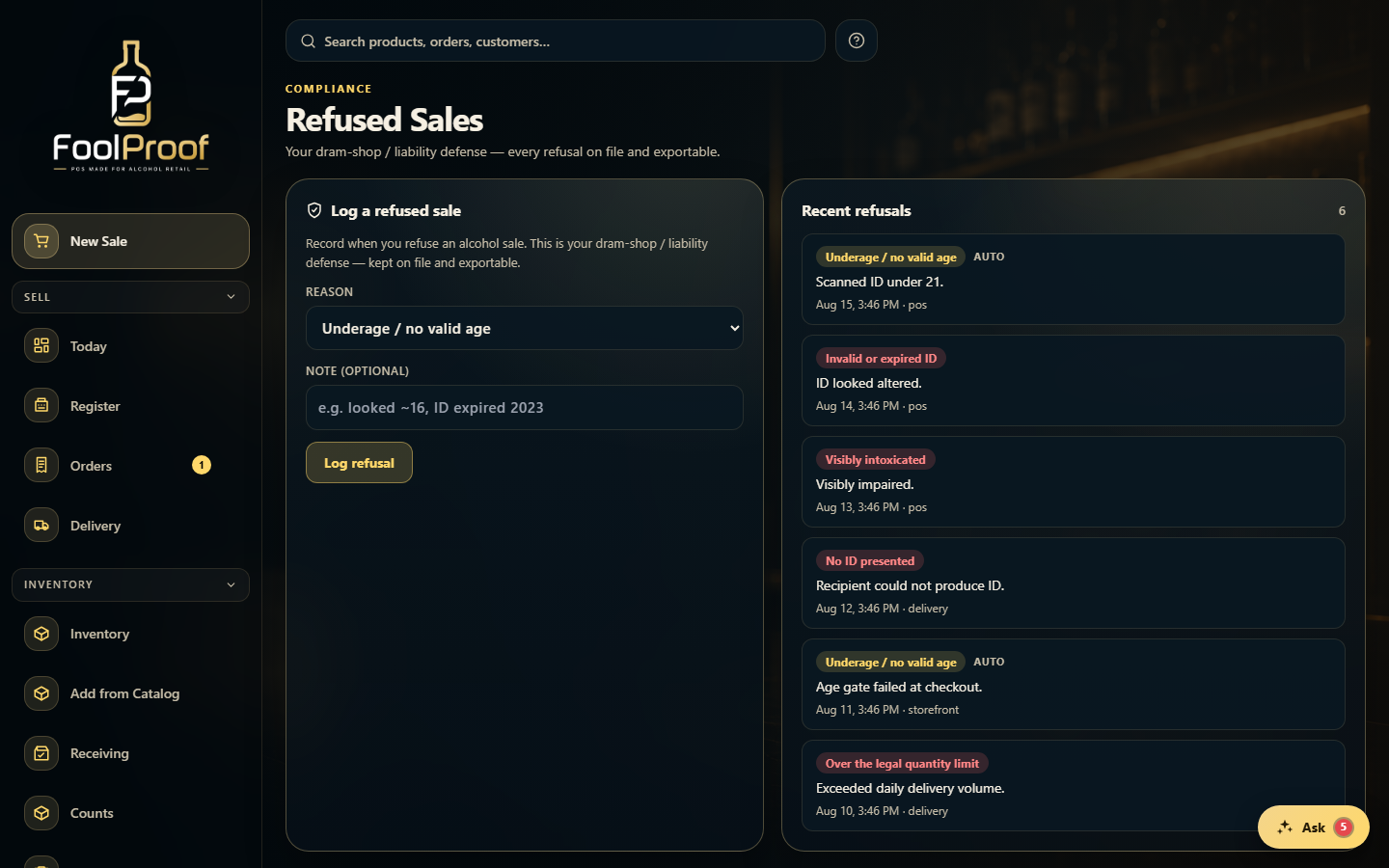
When you turn away an alcohol sale, record it here — it's your dram-shop / liability defense. Pick a reason (underage, intoxicated, over the limit, invalid/expired ID, no ID, or other), add an optional note like 'looked ~16, ID expired 2023', and press Log refusal.
1
1Pick a reason, add an optional note, then Log refusal.
2. The refusal log
Every refusal lands in Recent refusals with its time, employee, and channel — kept on file and exportable as your liability record. Entries marked 'auto' were logged by the POS itself.
1
1Every refusal on file — 'auto' entries were logged by the POS itself.
 1
1