The Employees page manages your team, their role access, PINs, pay, and timesheets across three tabs.
A step-by-step walkthrough with real screenshots · FoolProof POS for alcohol retail
1. The Team tab
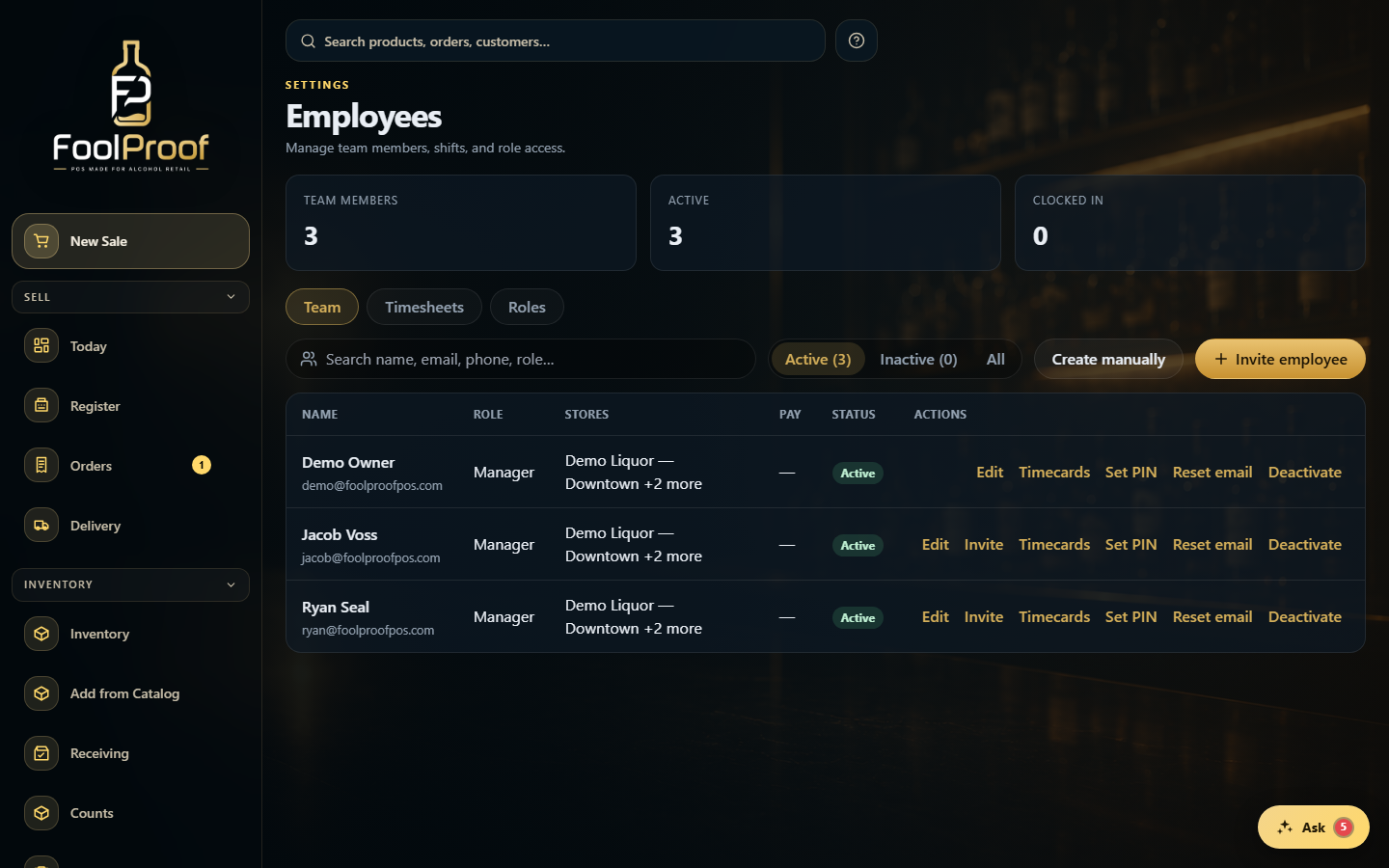
The Team tab lists everyone. Each row shows their role and stores, with actions to edit, set a PIN, view timecards, or deactivate. Add people from the top-right.
12
1Team members, Timesheets, and Roles.
2Each person's role and stores, with row actions on the right.
2. Timesheets
The Timesheets tab is a weekly hours grid. Click any cell to view or edit that person's shifts — add a missed shift, fix a punch, or clock them out. Every change is audit-logged.
12
1Move between weeks, or switch to a 2-week view.
2Click any cell to edit that day's shift.
3. Roles
The Roles tab (if you can manage roles) shows each role, how many permissions it grants, and how many people have it. New role or Edit changes what a role can access.
1
1Each role's permissions and how many people have it — New role or Edit to change access.
 12
12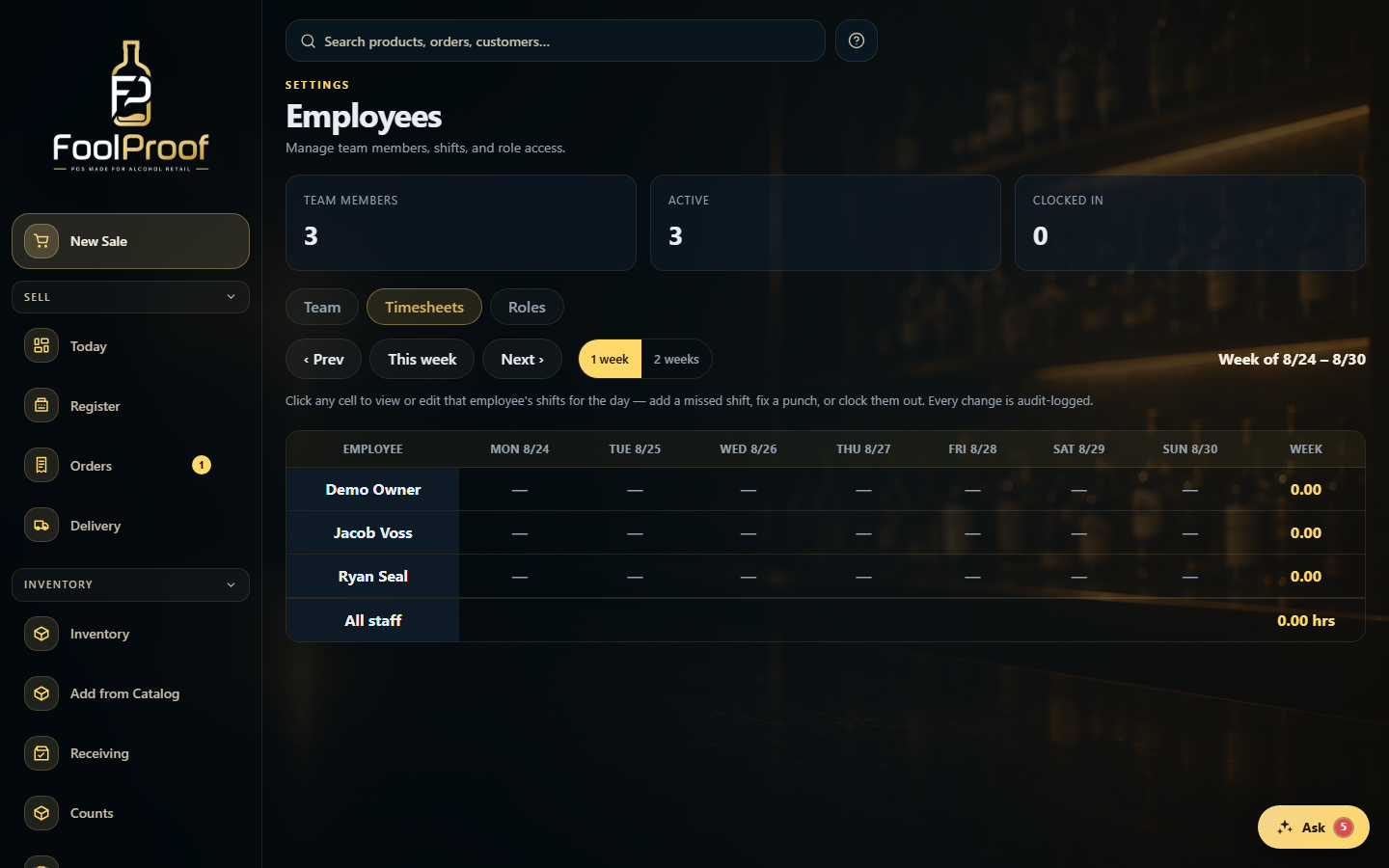 12
12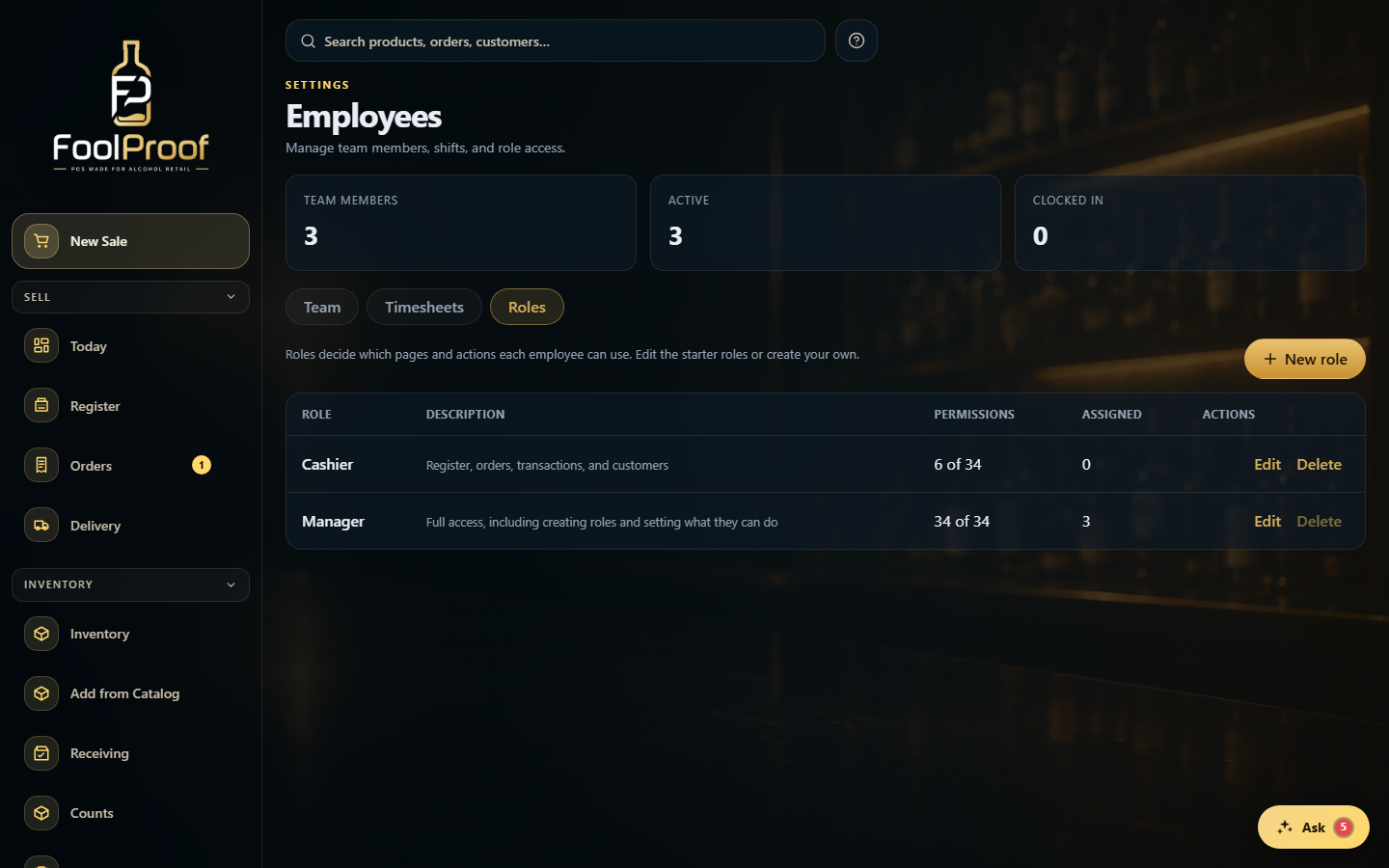 1
1