Open a register to start a shift and close it with a cash count at the end; the closing count is required.
A step-by-step walkthrough with real screenshots · FoolProof POS for alcohol retail
1. Pick your register
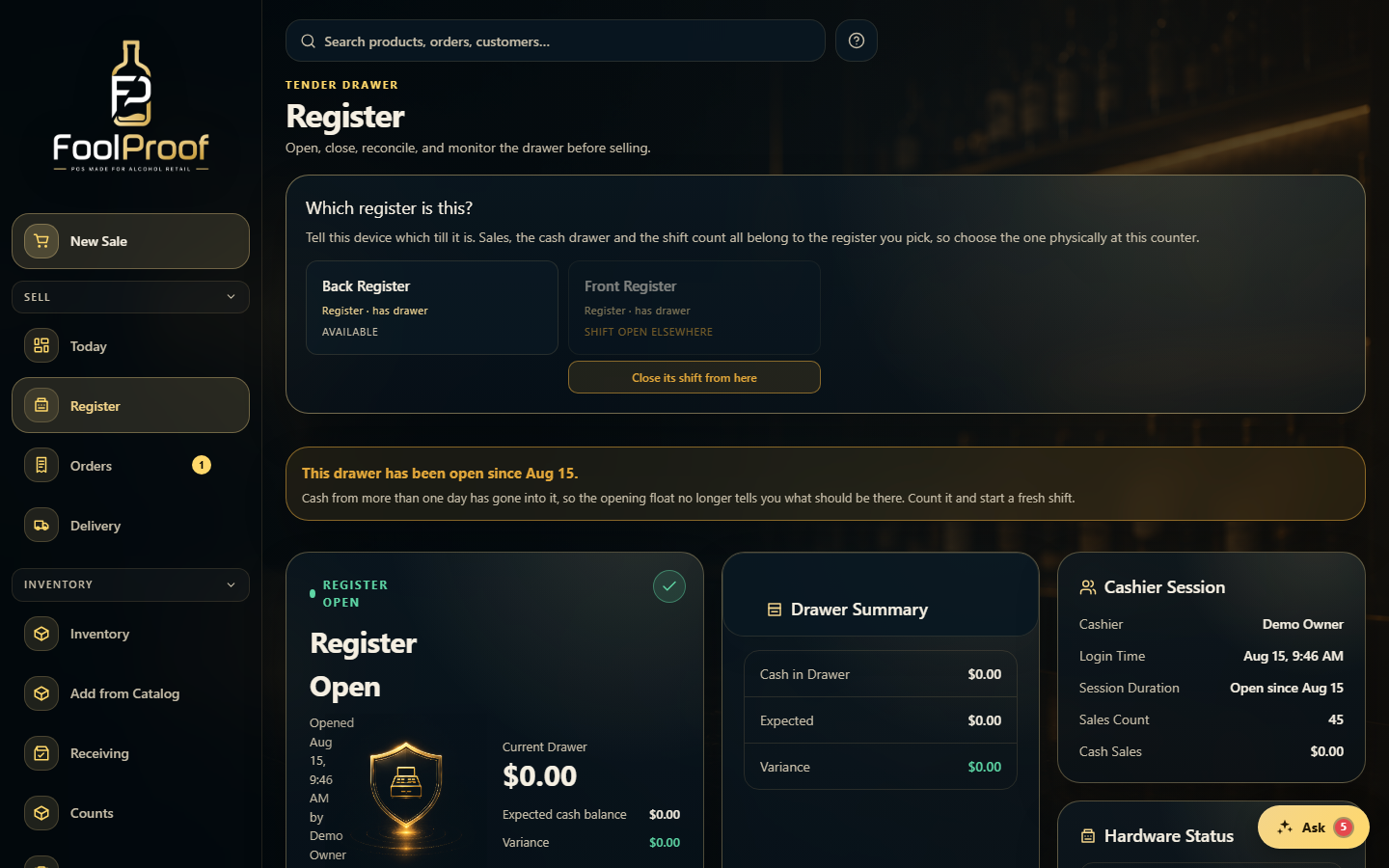
Open Register and pick which physical register this station is — sales, the cash drawer, and the shift count all belong to the one you choose.
1
1Tell this station which physical register it is.
2. Open the drawer
Enter the starting cash to open the drawer. The Register Open and Drawer Summary cards then show cash in the drawer, the expected balance, and any variance.
1
1The open drawer: cash counted in, the expected balance, and any variance.
3. The shift, and closing it
The Cashier Session card tracks who opened the shift, the sales count, and how long it's been open. At the end, Close and count the cash — the closing count can't be skipped, and a close-out receipt prints your over/short.
1
1Who opened the shift, the sales count, and how long it's been open.
 1
1