Book incoming stock in from the Receiving page and split sellable packs into smaller sizes from Inventory's case breakdown — on-hand updates automatically.
A step-by-step walkthrough with real screenshots · FoolProof POS for alcohol retail
1. Receive as it lands
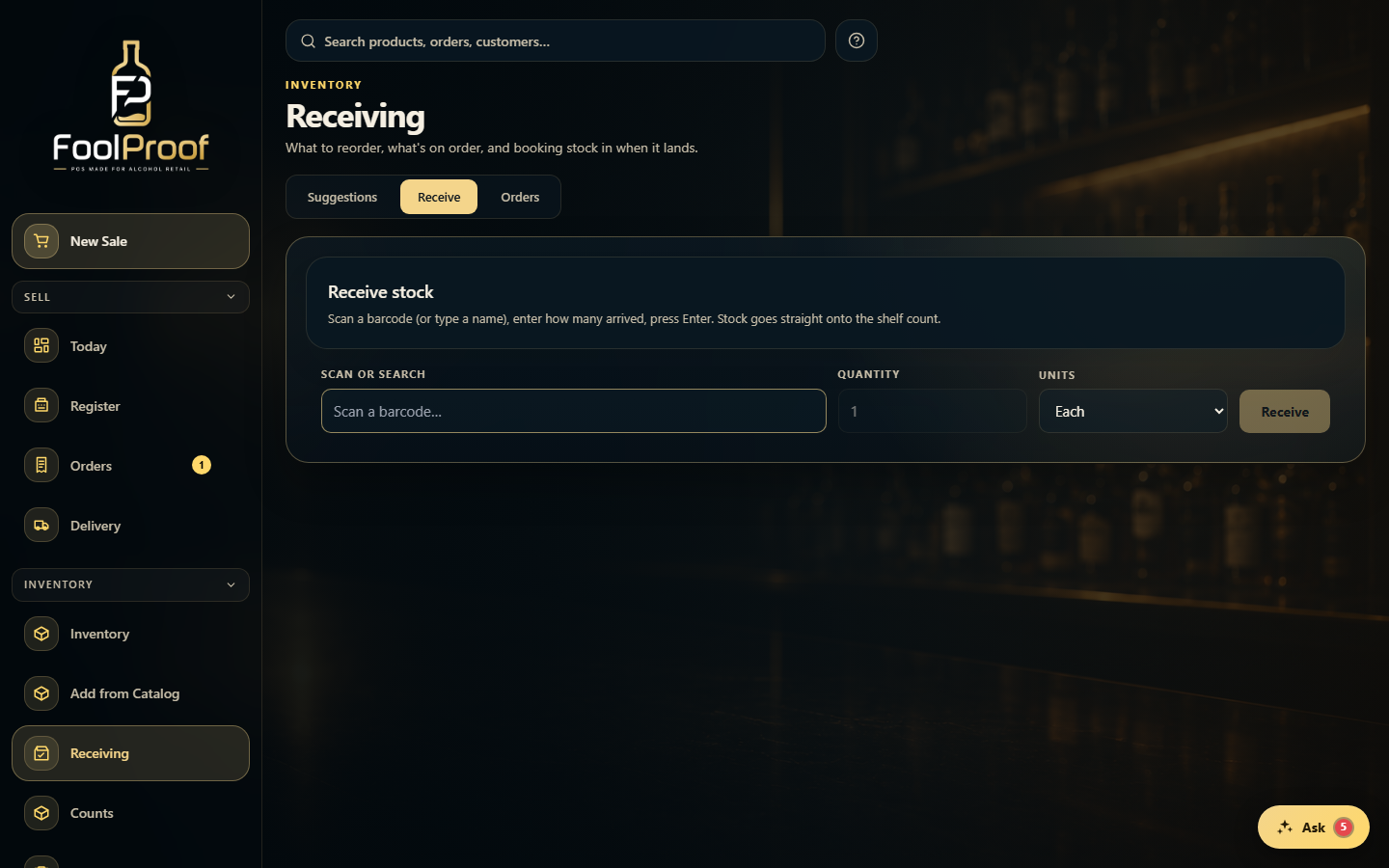
On the Receive tab, scan a barcode (or type a name), enter how many arrived, pick Each or Cases, and press Enter — the stock goes straight onto the shelf count, and each line can be undone.
1
1Scan or type the item, enter the quantity, pick Each or Cases, then Receive.
2. Receive against a PO
To receive against an order, open the Orders tab, open the PO, and use Receive all or set the actual quantity received per line, then Save.
1
1Open a PO here, then Receive all or set the actual quantity received per line.
3. Break down a case
To split a sellable case into smaller sizes, open Inventory → Case breakdown, pick the pack, choose how many to open and the target size, and confirm — stock moves from the big pack to the smaller item.
1
1Pick a case and split it into smaller packs — stock moves automatically.
 1
1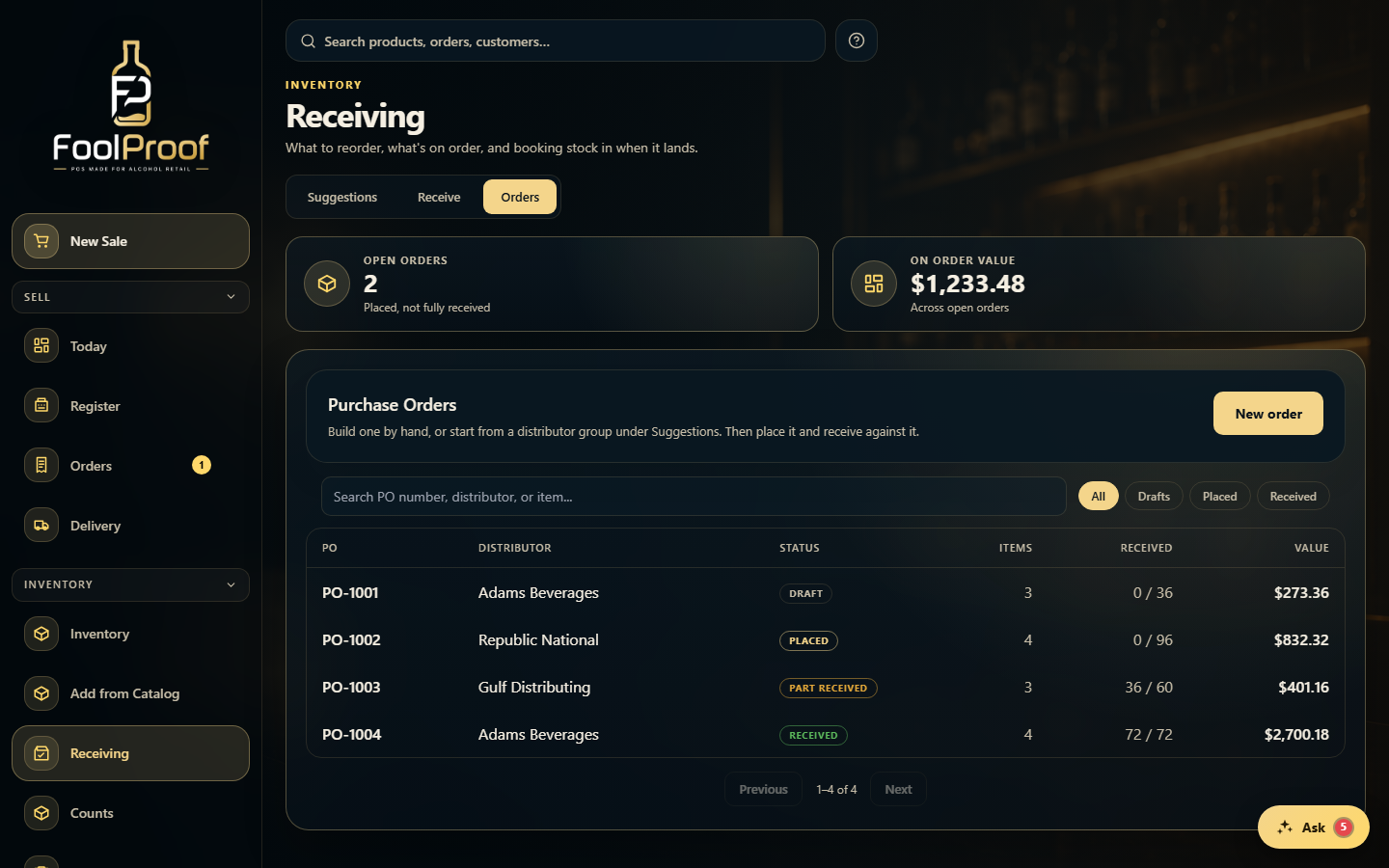 1
1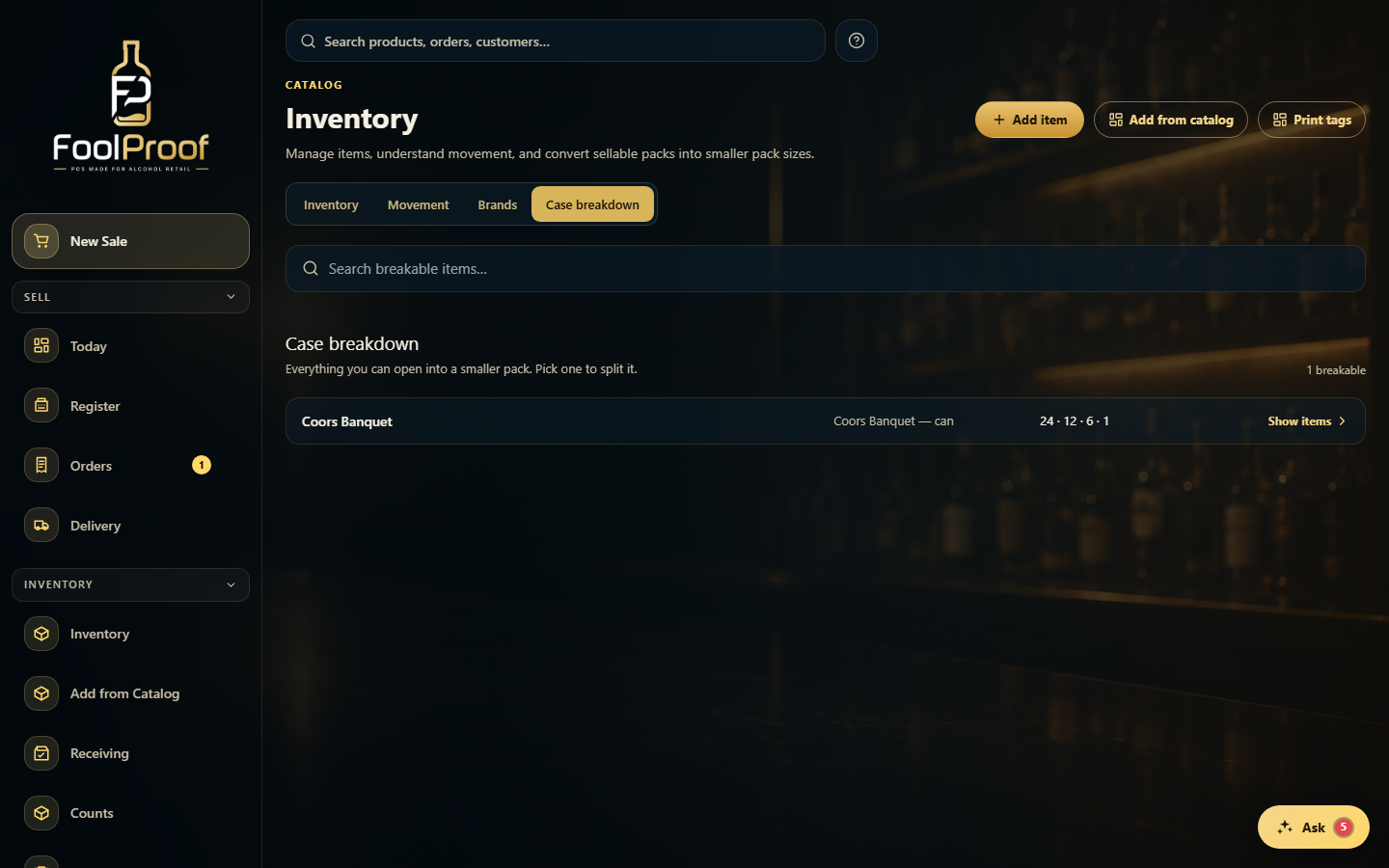 1
1