The Today page is your at-a-glance dashboard — sales KPIs, pending orders, active deliveries, low stock, and alerts for the current day.
A step-by-step walkthrough with real screenshots · FoolProof POS for alcohol retail
1. Drawer and day KPIs
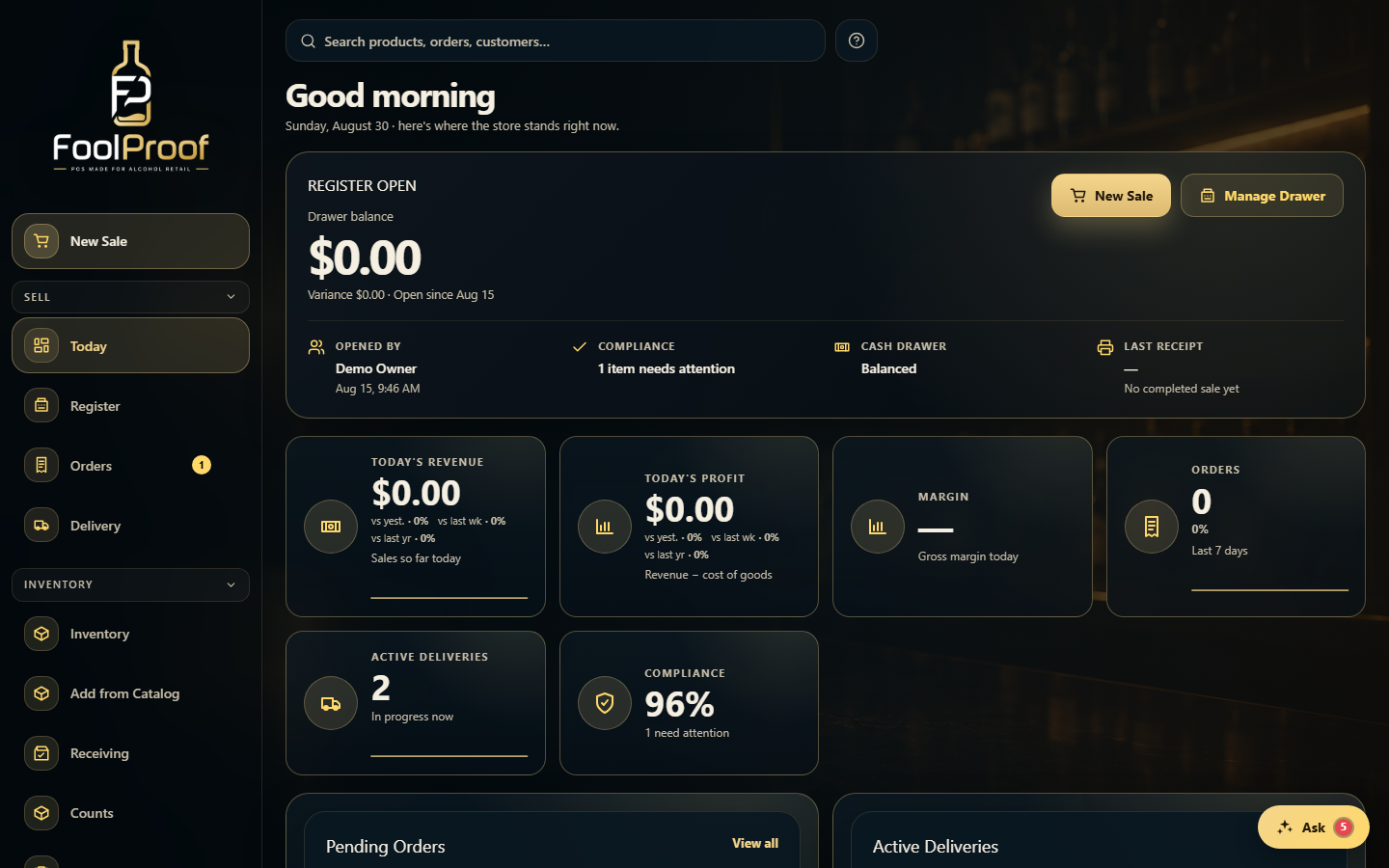
Today greets you and shows the store right now. Up top is your open drawer with quick New Sale and Manage Drawer buttons, then KPI cards for the day's revenue, profit, margin, and orders.
12
1Your open drawer and its balance, with quick New Sale and Manage Drawer buttons.
2The day's revenue, profit, margin, and order count at a glance.
2. Work queues and alerts
Scroll down for your work: Pending Orders and Active Deliveries (click any row to open it), plus Critical Alerts, Low Stock, and Today's Tasks. An admin can show or hide each widget under Admin → Today dashboard settings.
12
1Pending orders and active deliveries — click a row to open it.
2Critical alerts, low stock, and your task checklist.
 12
12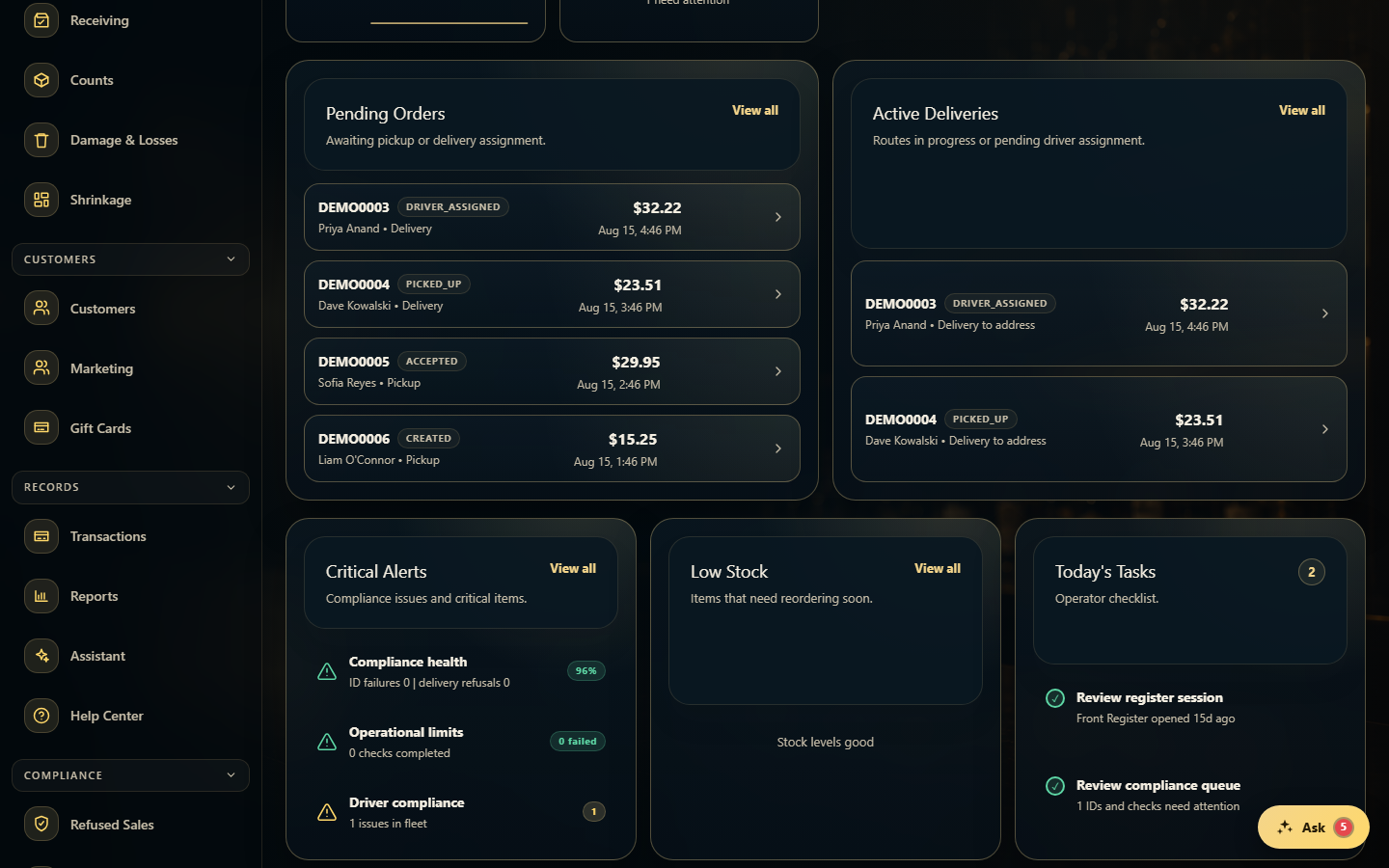 12
12