The Distributor Feed page receives distributor invoices automatically, lets you map vendor codes, and reconciles what was billed against what actually arrived.
A step-by-step walkthrough with real screenshots · FoolProof POS for alcohol retail
1. Invoices arrive automatically
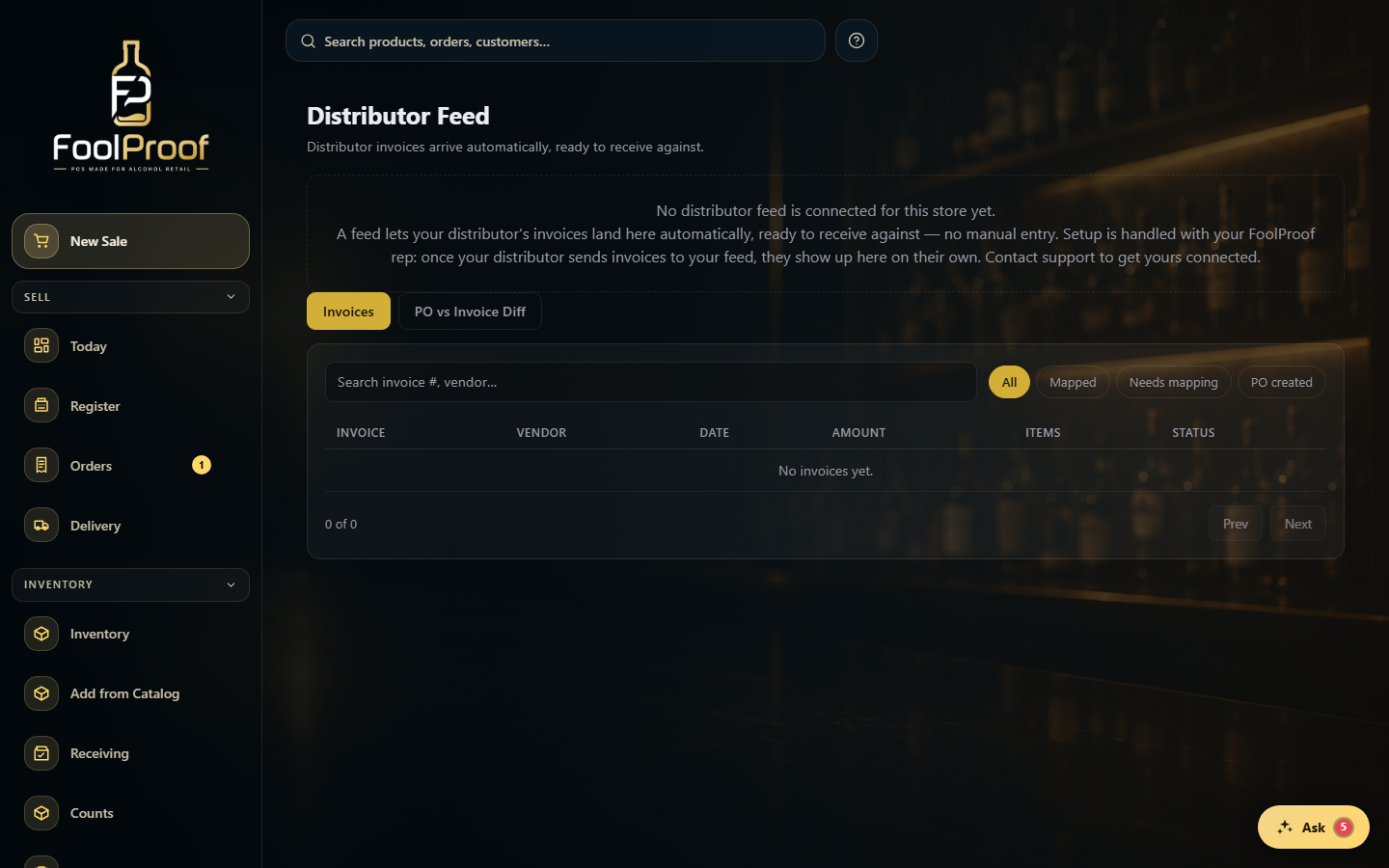
Distributor invoices land here on their own, ready to receive against — no manual entry. The Invoices tab lists them; map any new vendor code once, then open an invoice to review its lines and Receive what actually arrived.
12
1Invoices to review and receive; PO vs Invoice Diff to catch short shipments.
2Search or filter invoices; click one to review its lines and Receive what arrived.
2. Catch short shipments
The PO vs Invoice Diff tab compares what a distributor billed against what you actually received — biggest gaps first — so you can catch a short shipment and take it back to them.
12
1Billed vs received, and the difference owed back.
2Per-invoice rows, biggest gaps first — a short shipment is flagged as evidence.
 12
12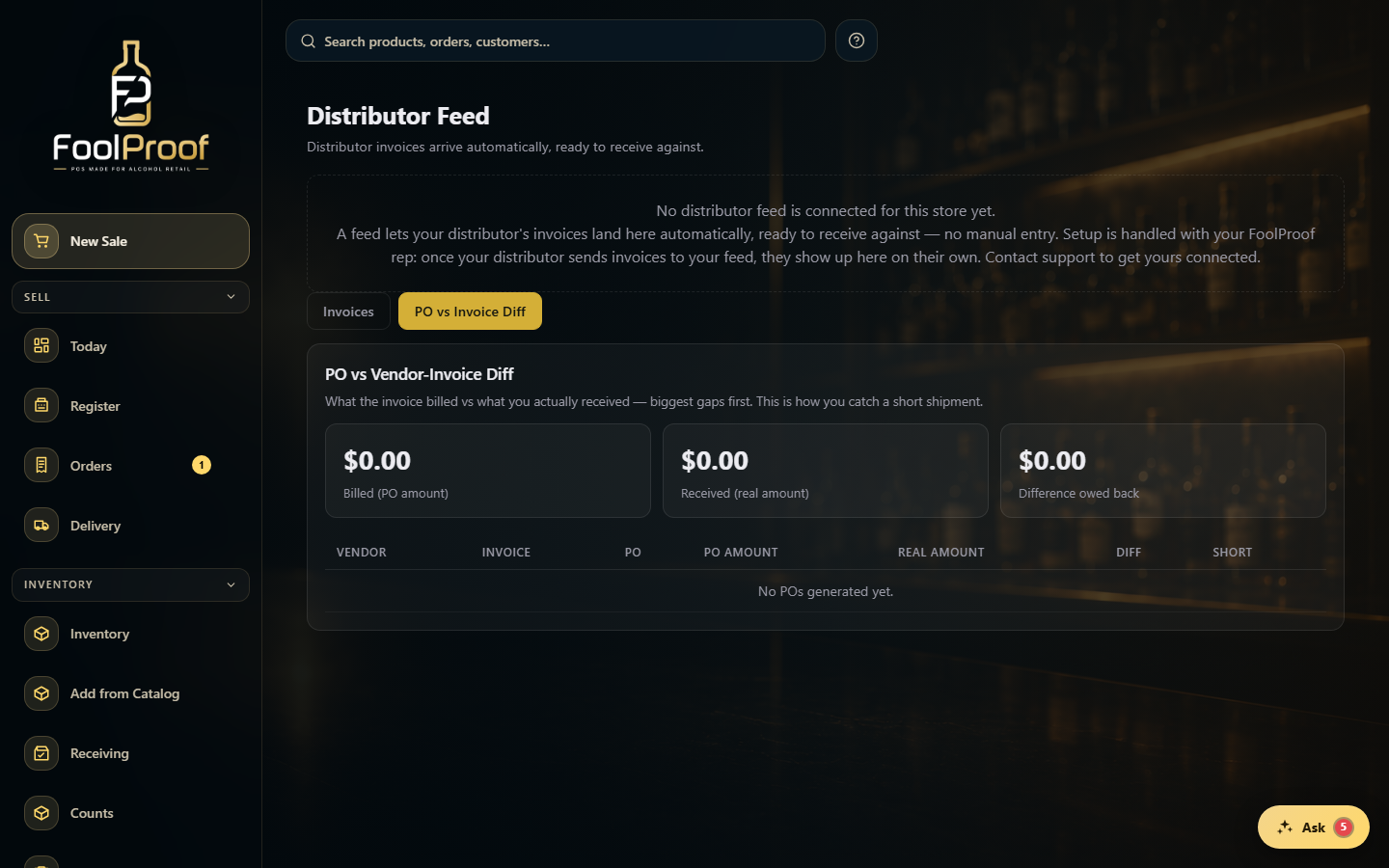 12
12