The Orders page lists every order — search, filter by pickup/delivery/in-store, and accept, mark ready, or cancel an order.
A step-by-step walkthrough with real screenshots · FoolProof POS for alcohol retail
1. See what's open
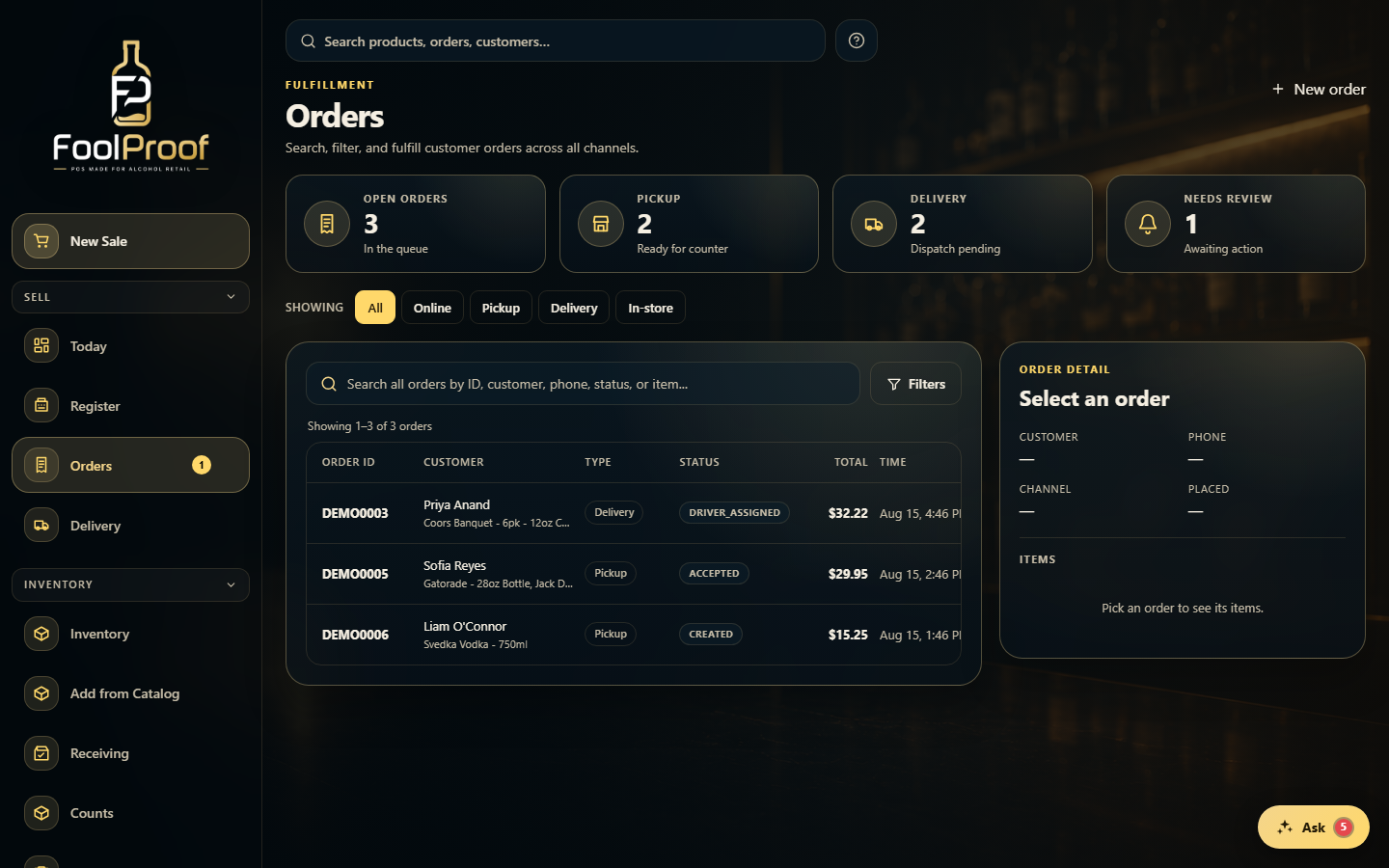
Orders lists every order across channels. The tiles up top count what's open, ready for pickup, out for delivery, and needs review; the chips filter by channel.
12
1Open, pickup, delivery, and needs-review counts for the whole store.
2Filter by channel — online, pickup, delivery, or in-store — or search below.
2. Work an order
Search or click an order to open it in the detail panel, then Accept, Mark ready, or Cancel depending on its status. Search, filters, and paging all run server-side across every order.
1
1Click an order to open it on the right, then Accept, Mark ready, or Cancel.
 12
12