With ID scanning on, an alcohol sale can't be paid until a license is scanned — every check is logged, and a failed one is added to Refused Sales automatically.
A step-by-step walkthrough with real screenshots · FoolProof POS for alcohol retail
Steps
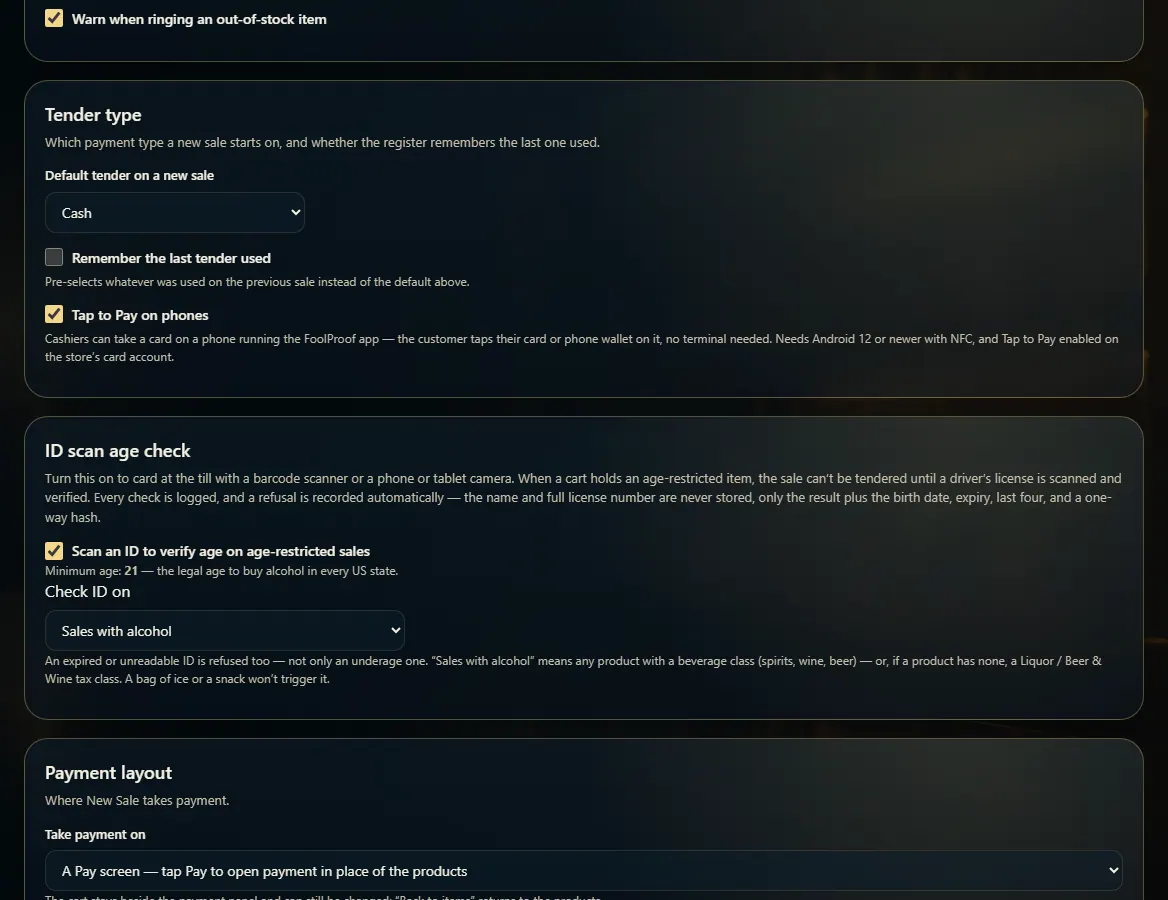
Open Admin → New Sale settings and find ID scan age check.
Tick Scan an ID to verify age on age-restricted sales.
Under Check ID on, choose Sales with alcohol or Every sale.
At the register, the cashier scans the back of the license when asked, with a barcode scanner or the camera.
A pass lets the sale continue. An underage, expired, or unreadable ID is refused and logged on Refused Sales, marked AUTO.
Good to know
The minimum age is always 21 — it can't be changed.
Only the result, birth date, expiry, last four digits, and a one-way code are kept. The customer's name and full license number are never stored.
Refused someone without scanning, or for another reason? Log it yourself on Refused Sales.
1. Turn on ID scanning
These settings live under Admin → New Sale settings. Changes save as soon as you make them.
 12
12