Selling at the register
 12
12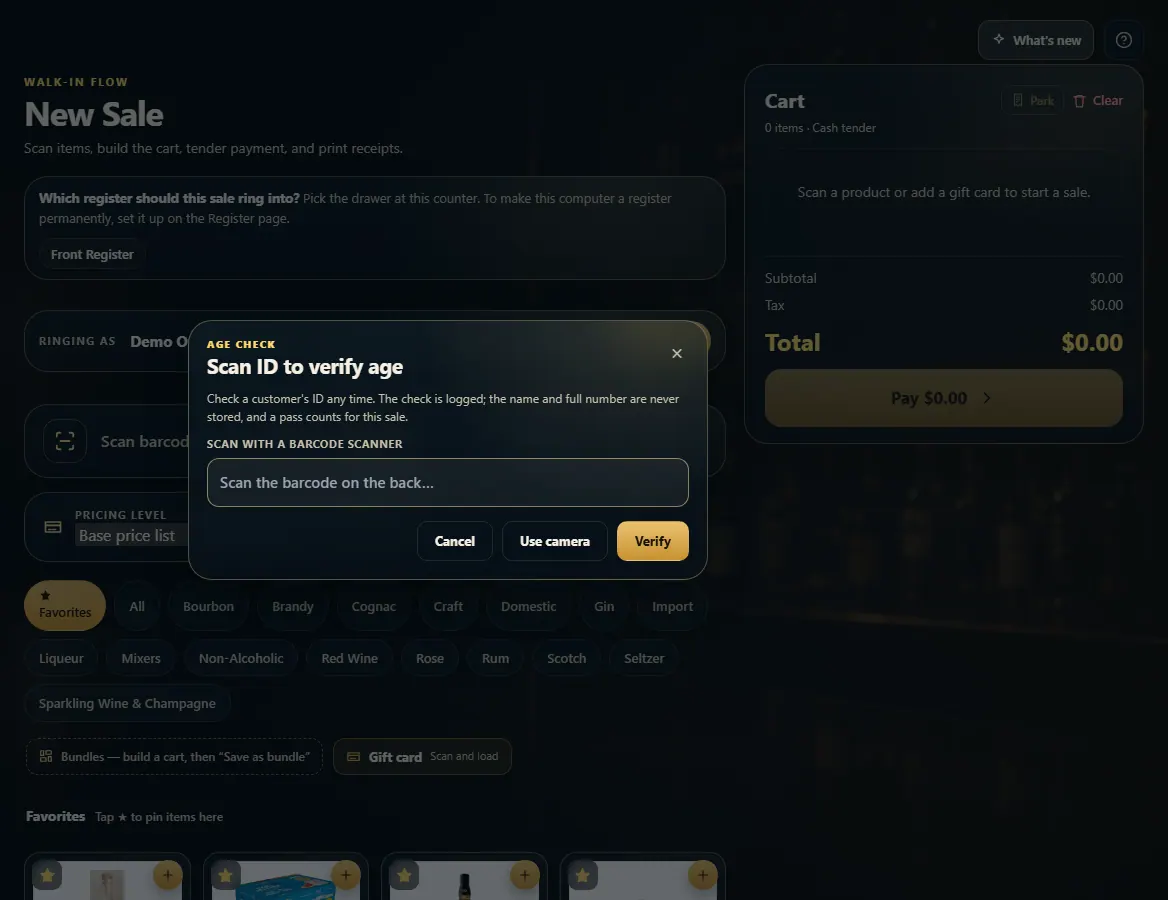 123
123
Check a customer's ID at the register
With ID scanning on, scan the barcode on the back of the license — New Sale asks for it on age-restricted sales, and Check ID lets you scan any time.
Steps
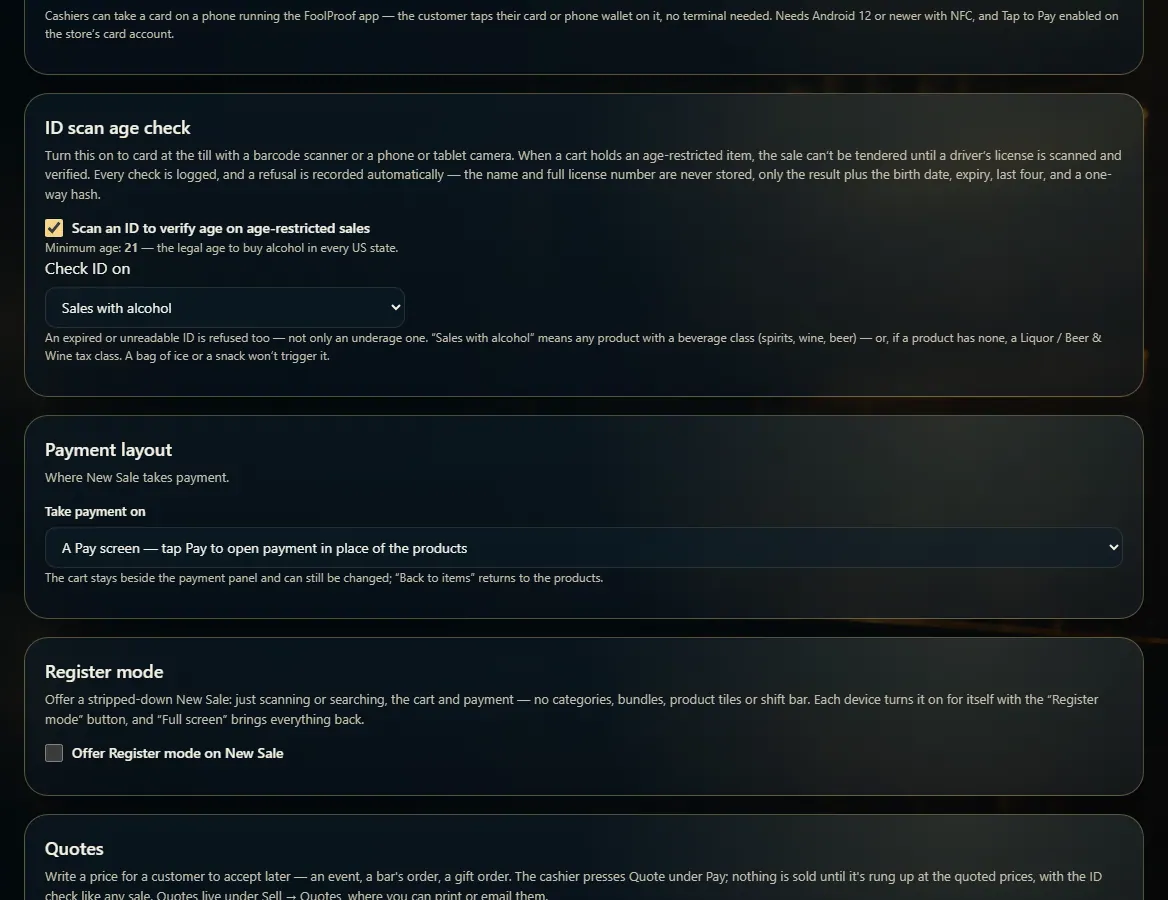
- Turn it on once: Admin → New Sale → ID scan age check → "Scan an ID to verify age on age-restricted sales".
- Choose Check ID on: Sales with alcohol, or Every sale.
- At New Sale, a cart with an age-restricted item asks for the ID before it can be paid.
- To check any time, press Check ID next to the search box.
- Scan the barcode on the back of the license with the scanner, or press Use camera, then Verify.
Good to know
- Minimum age is 21 and can't be changed. An expired or unreadable ID is refused too.
- Every check is logged and a refusal is recorded automatically. The name and full license number are never stored.
- A pass from Check ID counts for the sale you're ringing.
1. Turn ID scanning on
In Admin → New Sale, the ID scan age check card turns scanning on and sets which sales need it.
12- 1Turn ID scanning on.
- 2Alcohol sales, or every sale.
2. Scan the license
Check ID opens the scan box. Scan the back of the license, or use the camera, then Verify.
123- 1Scan the barcode on the back.
- 2Or use the camera.
- 3Check it.