Count the drawer on the Register page, press Close Register, check the variance and confirm; the close-out slip prints.
A step-by-step walkthrough with real screenshots · FoolProof POS for alcohol retail
Steps
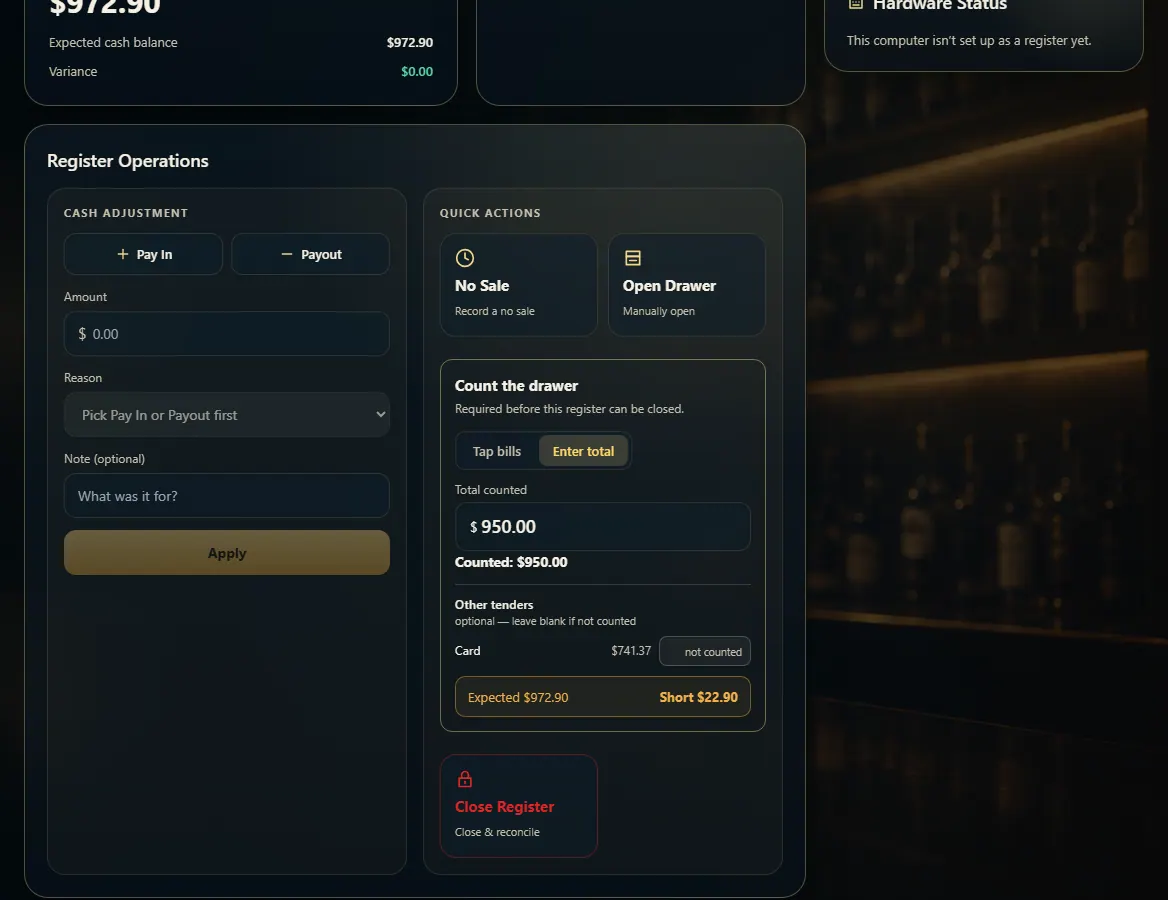
Open Register. Under Count the drawer, tap each bill and coin (Tap bills) or type the total (Enter total).
Under Other tenders, type what the card terminal says if you check it — or leave it blank for "not counted".
Check the line under the count: Balanced, Over or Short.
Press Close Register, look over Expected, You counted and Variance, then press Close register — or Recount.
The close-out slip prints. Press Print close-out slip to print it again, then Done.
Good to know
The slip shows opened and closed by, sales, opening cash, cash sales, pay-ins, payouts, expected in drawer, counted, and the result — plus each other tender you counted.
A count is required unless Admin → New Sale turns off "Require a counted cash total when closing the drawer"; then a close records "not counted", never zero.
Admin → Receipts → "When a drawer closes" can turn the printed slip off. It prints on this register's receipt printer.
A banner warns when a drawer has been open since an earlier day — count it and start a fresh shift.
If a card was approved with no sale, the Register page lists it: finish the sale or void the charge before closing.
1. Count the drawer
Tap bills adds one bill or coin per tap; Enter total takes a figure you counted another way. Over or short shows before you close, so you can recount.
1234
1Tap bills, or Enter total.
2What's in the drawer.
3Balanced, Over or Short.
4Close & reconcile.
2. Check and confirm
The confirmation shows what the drawer should hold, what you counted, and the variance. Recount if it's off; Close register records it and prints the slip.
 1234
1234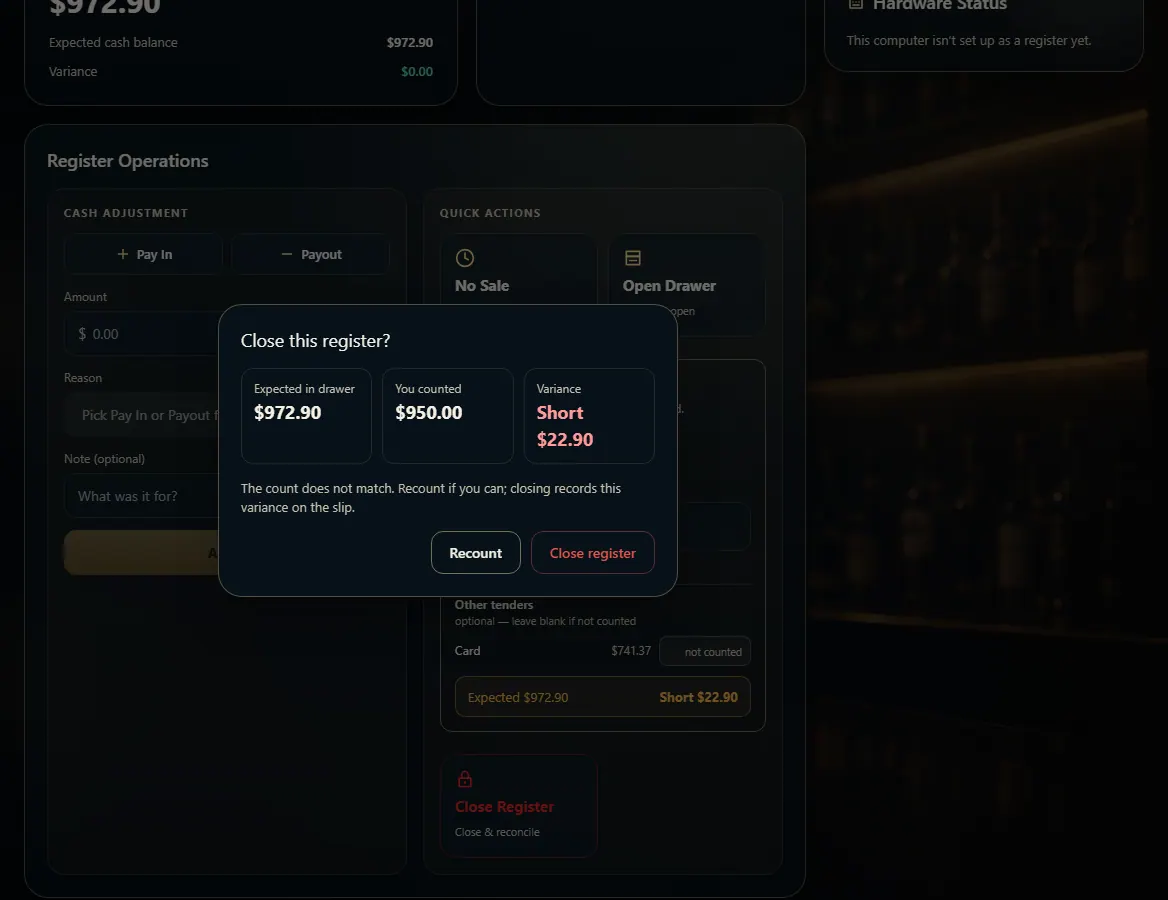 123
123