Register & cash drawer
 1
1
Open the cash drawer without a sale
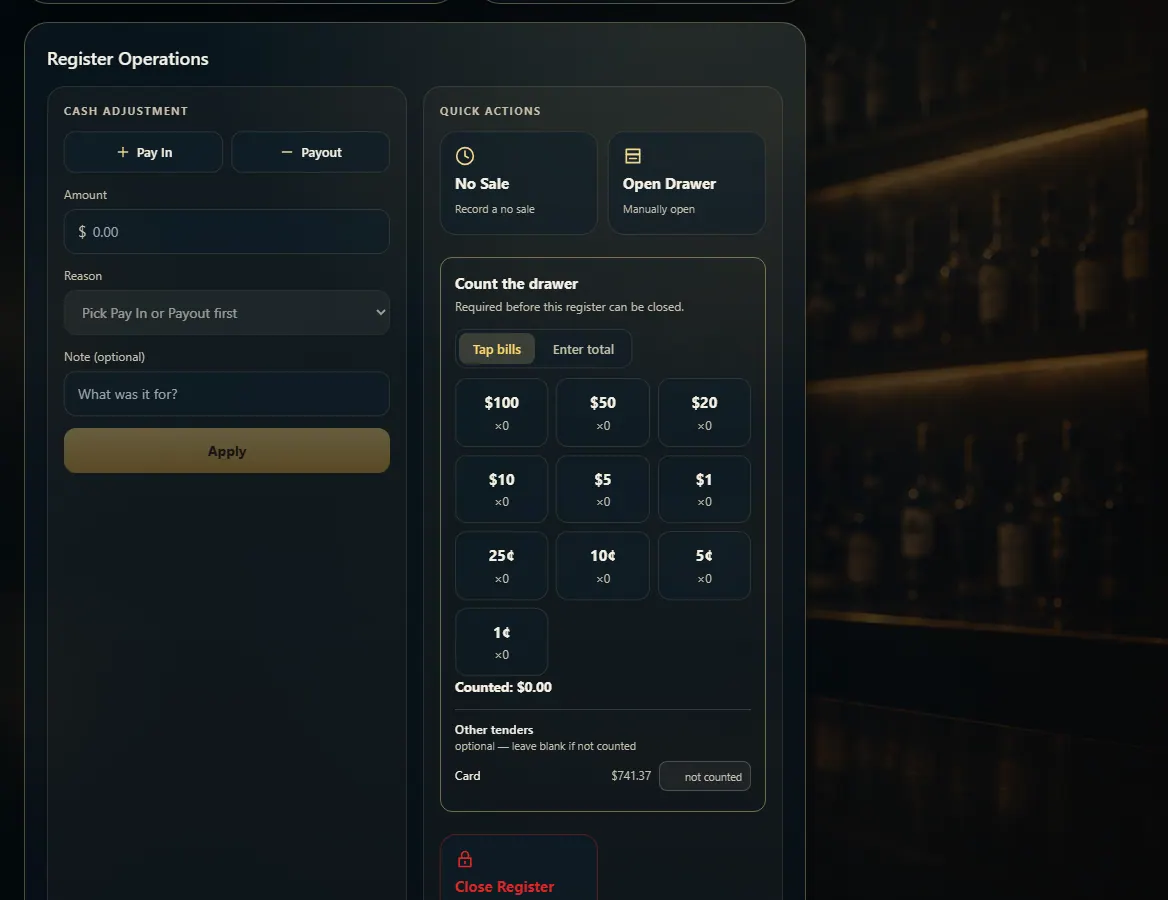
Press No Sale or Open Drawer under Quick actions on the Register page; it's recorded as a no sale.
Steps
- Open Register (the drawer has to be open).
- Under Quick actions, press No Sale or Open Drawer.
- The drawer pops open and a no-sale is recorded.
Good to know
- To move cash in or out, use Pay In or Payout instead so the expected cash stays right.
1. Quick actions
Both buttons open the drawer and record a no sale.
1- 1No Sale / Open Drawer.