Register & cash drawer
 123
123
Record a pay-in or payout
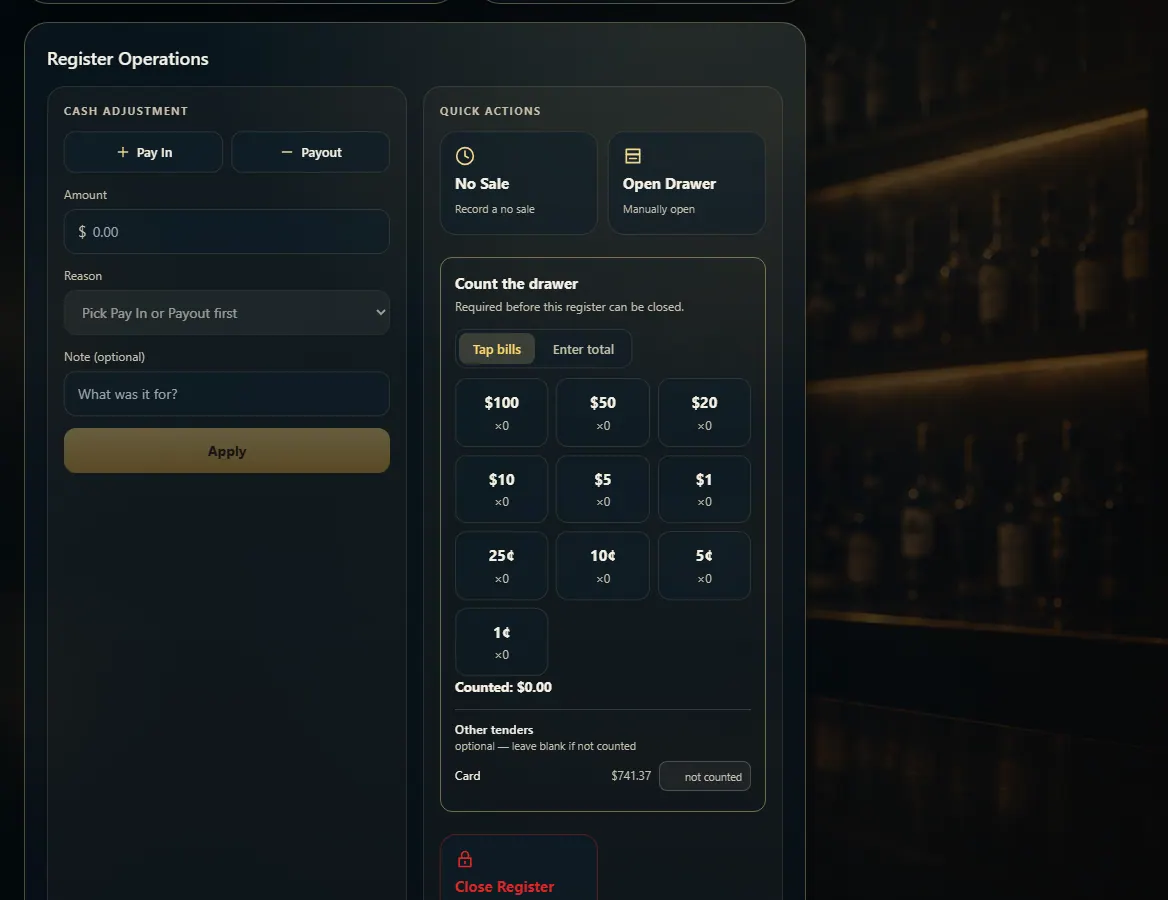
In Register Operations, pick Pay In or Payout, enter the amount, choose a reason and press Apply.
Steps
- Open Register (the drawer has to be open).
- Under Cash adjustment, press Pay In (cash going in) or Payout (cash coming out).
- Type the Amount.
- Choose a Reason; Other needs a note saying what it was.
- Press Apply Pay In or Apply Payout.
Good to know
- Pay-in reasons: Drawer top-up, Change order (coins / small bills), Cash to cover refunds, Other.
- Payout reasons: Safe drop, Bank deposit, Petty cash (paid out), Other.
- Pay-ins and payouts change the expected cash and print on the close-out slip.
1. Cash adjustment
Pick the direction first — the reasons change with it.
123- 1Pay In or Payout.
- 2Why the cash moved.
- 3Record it.