Getting started
 123
123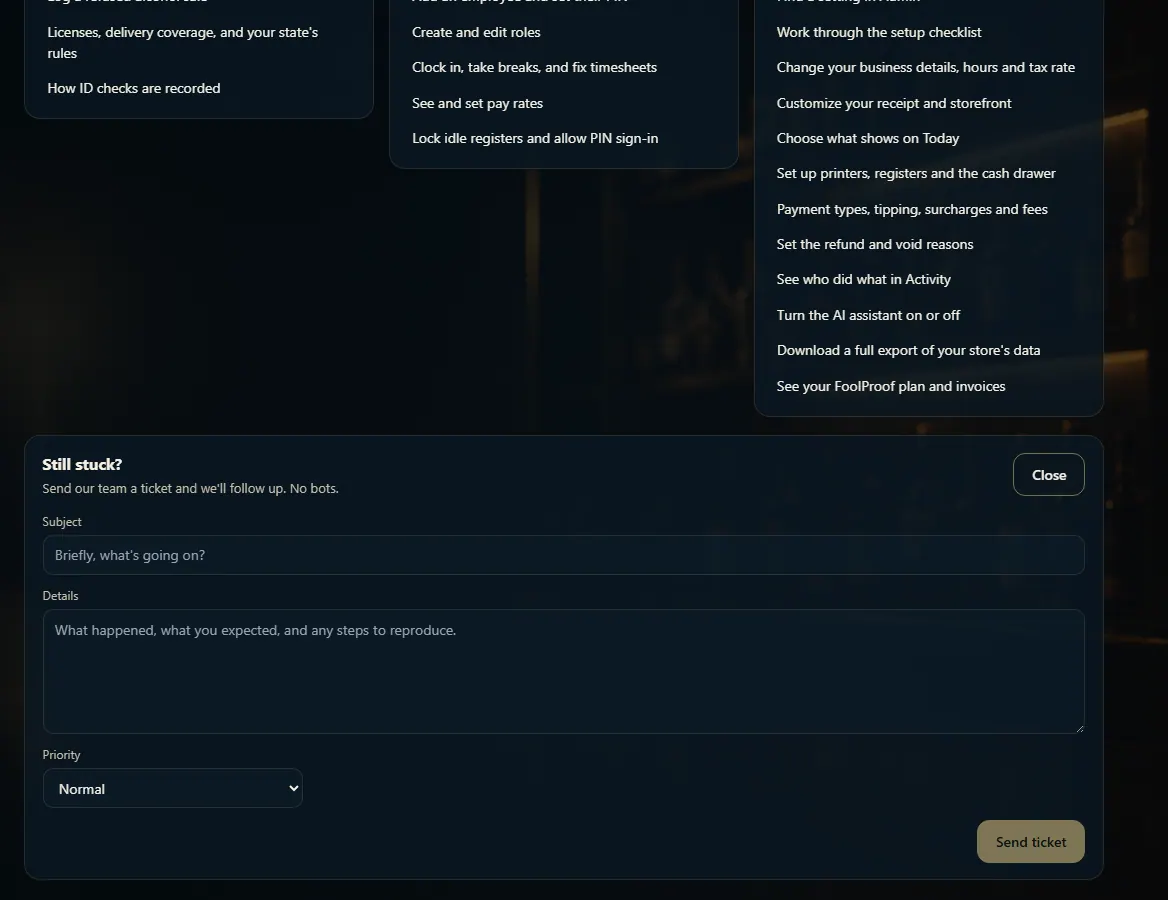 123
123
Get help with any page
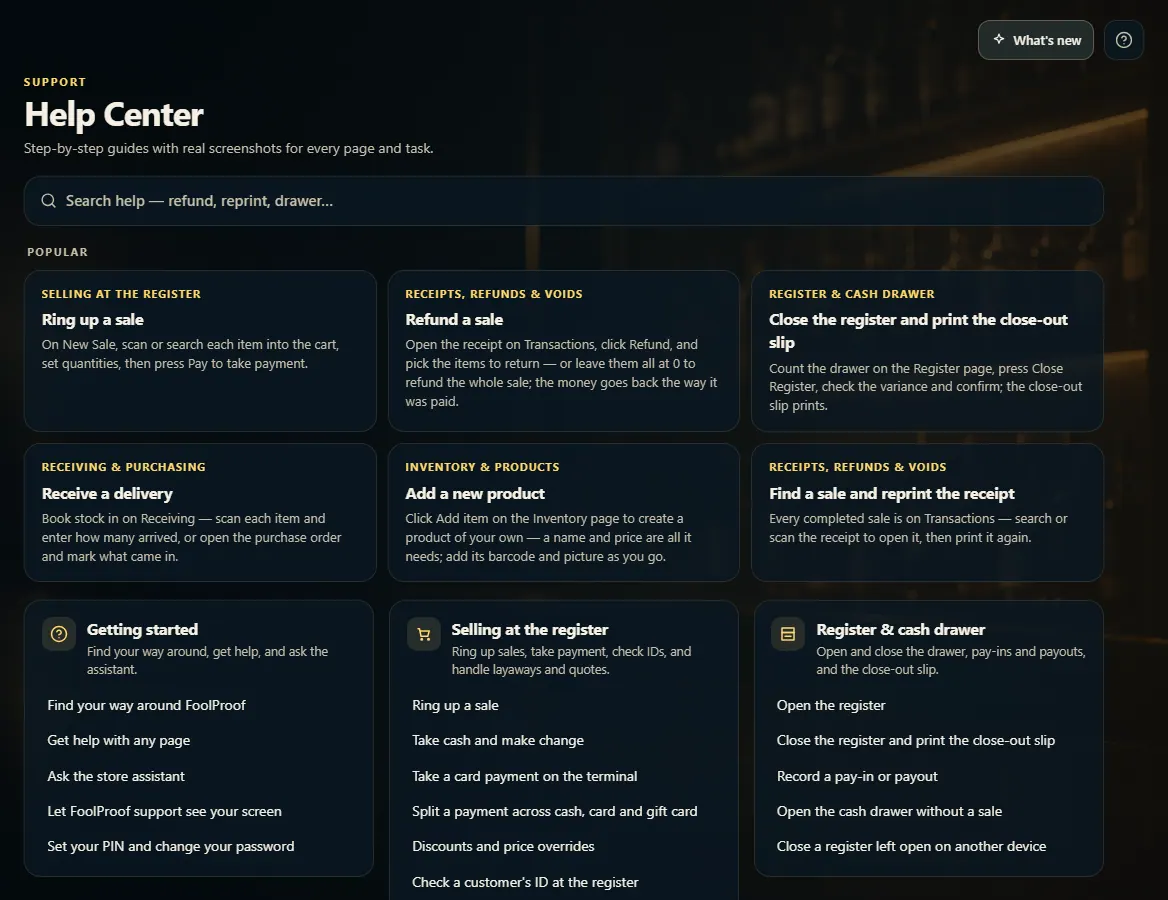
Click the ? at the top right for the guide to the page you're on, search the Help Center, or send our team a ticket with Contact support.
Steps
- Click the ? at the top right of any page to open the guide for that page.
- To search every guide, open Help Center from the menu (or Help & Guides at the bottom of the menu) and type what you want to do.
- Still stuck? At the bottom of the Help Center, click Contact support, fill in Subject and Details, pick a Priority, and click Send ticket.
- Click What's new at the top right to see the latest changes to FoolProof.
Good to know
- Choose Urgent — store is down only when you can't sell; our team sees it first.
- A dot on What's new means there are updates you haven't opened yet.
- If your store has the assistant turned on, an Ask button sits next to What's new — see Ask the assistant.
1. Help for the page you're on
The ? at the top right opens the guide for whatever page you're on. In the Help Center, search every guide by what you want to do.
123- 1What's new — the latest changes.
- 2Open the guide for this page.
- 3Search every guide.
2. Send our team a ticket
At the bottom of the Help Center, Contact support opens a short form. Say what happened, pick a priority, and send it — a person follows up.
123- 1Say what happened and what you expected.
- 2Pick how urgent it is.
- 3Send it to our team.