Receipts, refunds & voids
 123
123
Void a sale
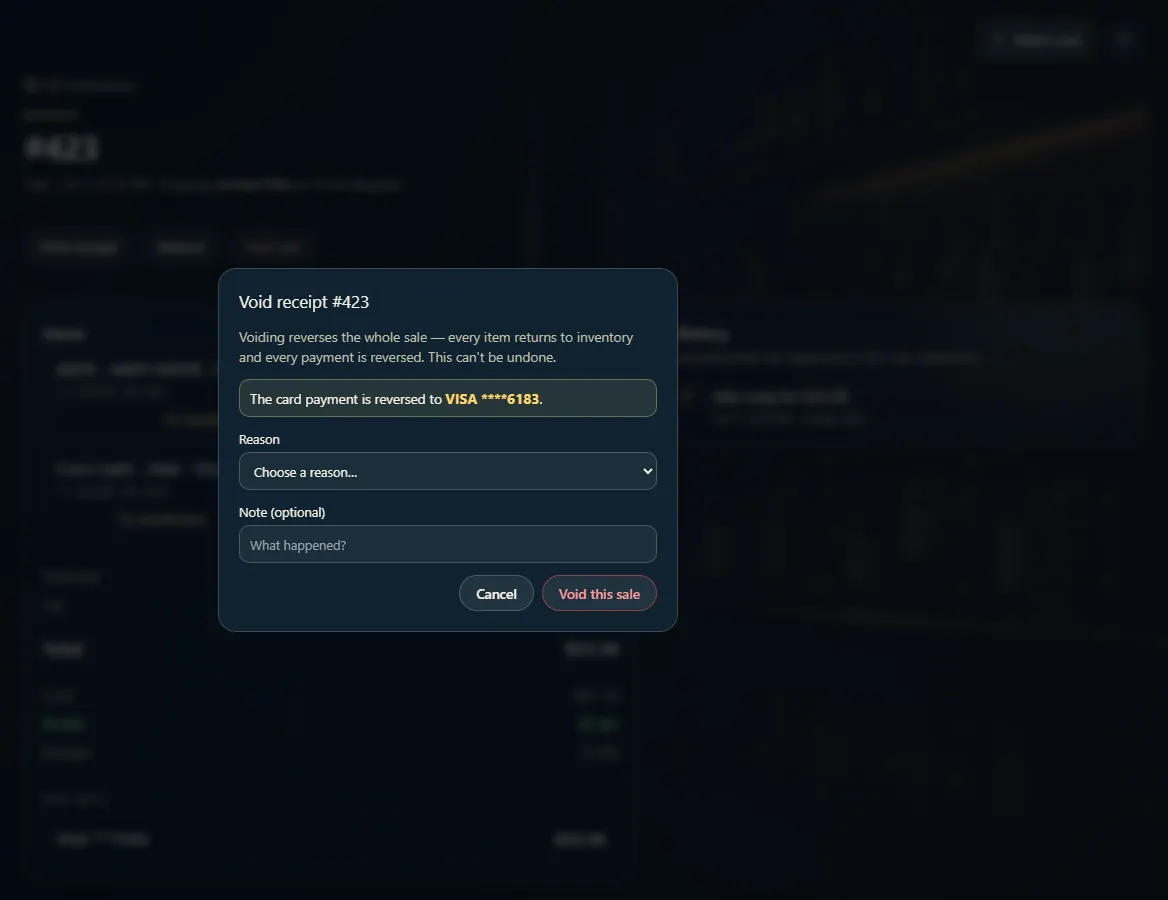
Voiding cancels a whole sale — every item goes back to inventory and every payment is reversed; use it for a sale rung by mistake.
Steps
- Open Transactions and click the sale.
- Click Void sale.
- Choose a reason, and add a note if you like.
- Click Void this sale.
Good to know
- A void is all or nothing and can't be undone. To give back only some items, use Refund instead.
- Void sale only shows on a sale that hasn't been refunded at all. After any refund, refund the rest instead.
- Like a refund, a void needs an open register drawer and an internet connection, and your role must be allowed to issue refunds and voids.
1. Void the whole sale
Click Void sale on the receipt, choose a reason, and confirm. The card payment, if any, is reversed to the card shown.
123- 1The card payment is reversed to this card.
- 2Choose a reason.
- 3Void this sale — no undo.