If an item on a past sale was rung under the wrong tax class or category, correct it on the receipt — reports change, the money doesn't.
A step-by-step walkthrough with real screenshots · FoolProof POS for alcohol retail
Steps
Open Transactions and click the sale.
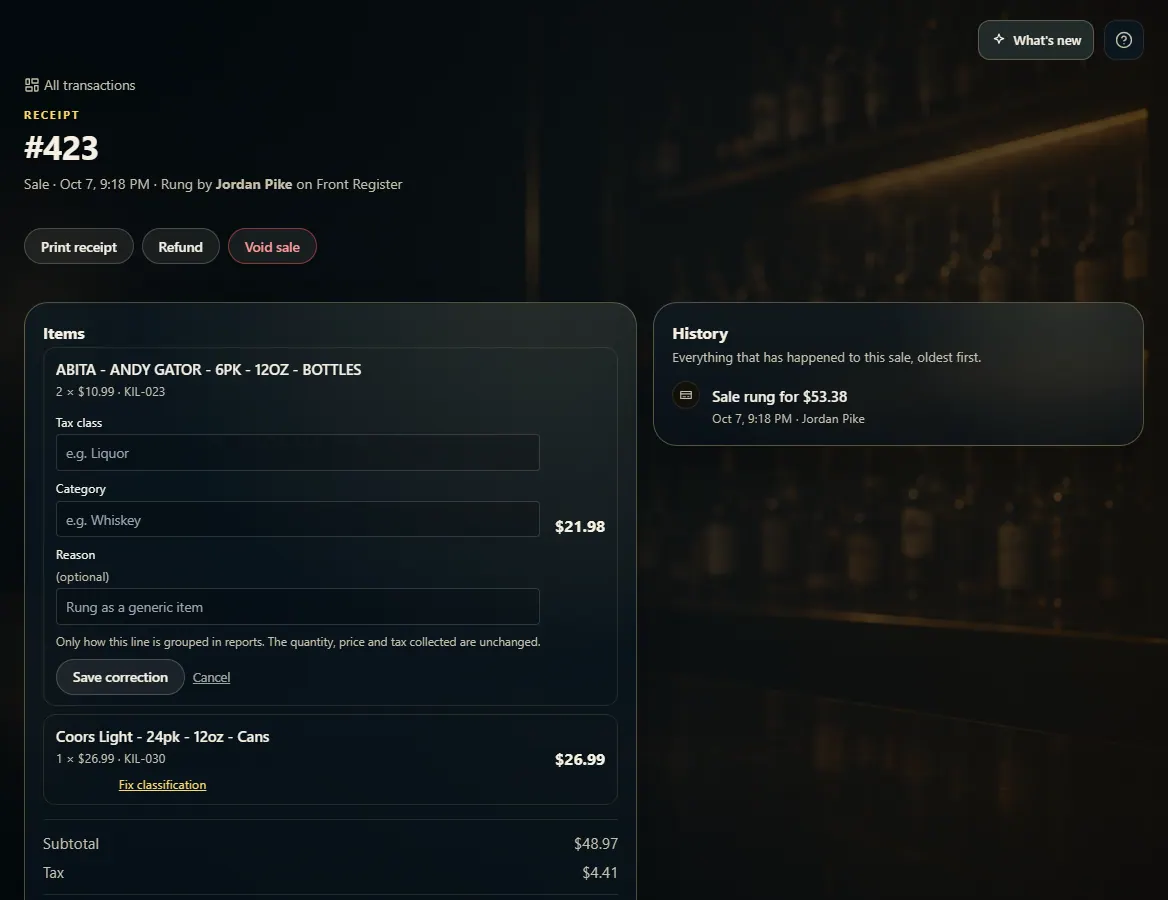
Under the item in Items, click Fix classification.
Type the correct Tax class and/or Category, and a reason if you like.
Click Save correction.
Good to know
Only how the line is grouped in reports changes. The quantity, price and tax the customer paid stay exactly the same — to change money, refund and ring it again.
The line shows a "corrected" tag afterward, and the change is listed in the sale's History.
1. Correct the line
Each item on the receipt has its own Fix classification link. Set the right tax class or category and save.
 123
123