A house account lets a trusted customer buy now and pay later: ring the sale On account, then record their payment under Admin → House accounts.
A step-by-step walkthrough with real screenshots · FoolProof POS for alcohol retail
Steps
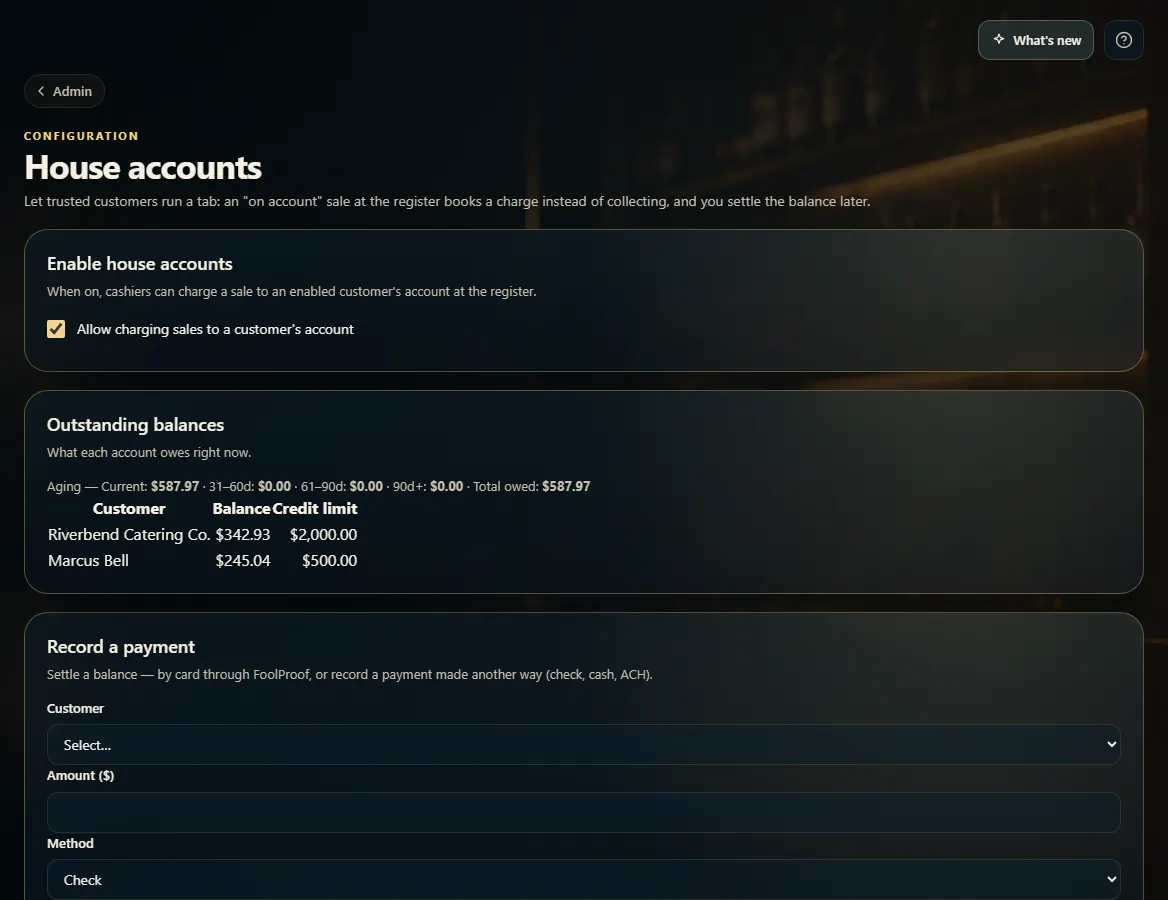
Open Admin → House accounts and tick Allow charging sales to a customer's account.
On Customers, click Edit on the customer, tick Allow charging to a house account (tab), set a Credit limit if you want one, and click Save changes.
At the register, select that customer and choose On account to charge the sale to their tab.
When they pay, go to Admin → House accounts, Record a payment: pick the customer, type the amount, choose how they paid, and click Record payment.
Good to know
House accounts must first be turned on for your store by FoolProof — some states limit who a retailer may extend credit to. Until then the page says so.
Outstanding balances shows what each account owes, with an aging line (current, 31–60, 61–90 and over 90 days).
A cash payment goes into the drawer you pick, so that register's count still balances; a register must be open to take one.
Refunding or voiding a sale charged on account takes it back off the customer's tab.
Leave the credit limit blank for no limit.
1. Turn it on and track balances
Switch house accounts on for the store, then see what every account owes and record payments as they come in.
123
1Allow charging sales to a customer's account.
2What each account owes, and its limit.
3Record a payment when they settle up.
2. Let a customer charge to their tab
On the customer's record, tick the house-account box and set a limit if you want one.
 123
123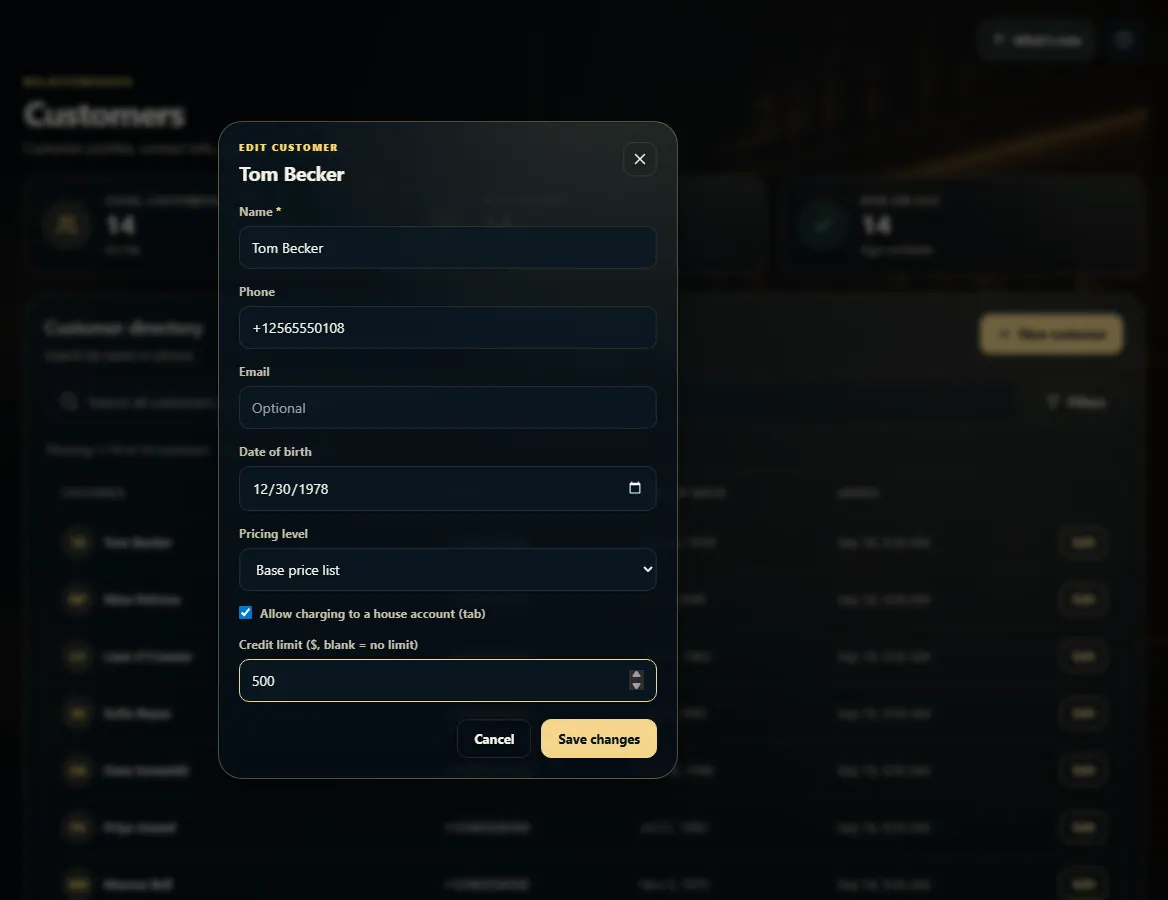 123
123