Setup shows the few steps to start selling; Admin → Setup checklist walks every group of settings once, shows what's set now, and links to the page that changes it.
A step-by-step walkthrough with real screenshots · FoolProof POS for alcohol retail
Steps
Open Setup from the menu (under Settings) to see the steps to get selling — add products, set prices, set up a register and printer, add your team. Click Do it (or Review) on a step to go to the right page.
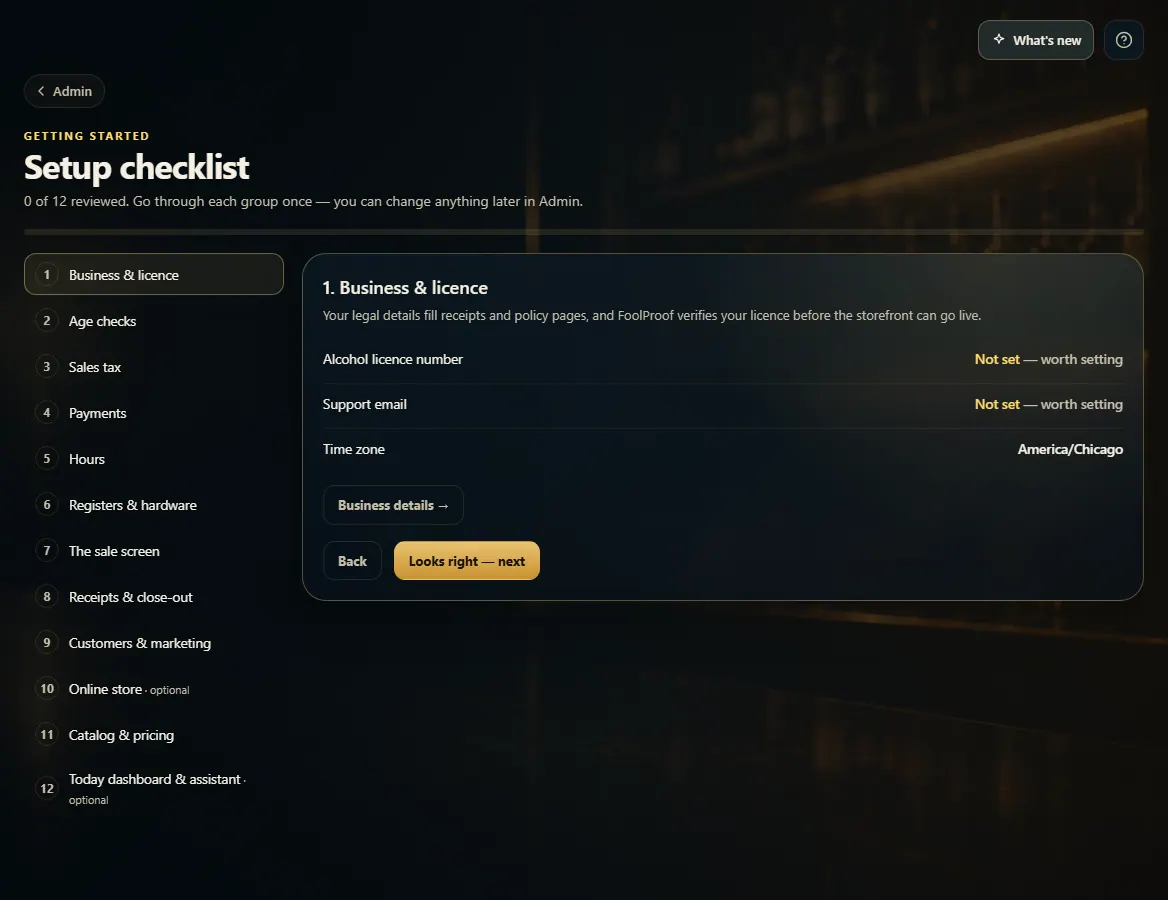
For every setting, open Admin → Setup checklist.
Pick a group on the left, or start at 1. Business & licence.
Read what is set now. Anything marked Not set is worth setting — click the button under the list to open the page that changes it.
Click Looks right — next to mark the group reviewed and move on. Click Back to go to the previous group.
Good to know
Your progress is saved, so you can stop and come back later. You can change anything again at any time in Admin.
Groups marked optional (Online store, Today dashboard & assistant) can be skipped.
Once you are set up, FoolProof reviews your store and takes it live — the Setup page shows when your store is approved.
1. Every group of settings, once
Pick a group on the left. The panel shows what is set now; the button underneath opens the page that changes it. Looks right — next marks the group reviewed.
123
1Pick a group.
2Open the page that changes it.
3Mark it reviewed and move on.
2. The steps to start selling
Setup in the menu is the short list: each step turns green when it's done.
 123
123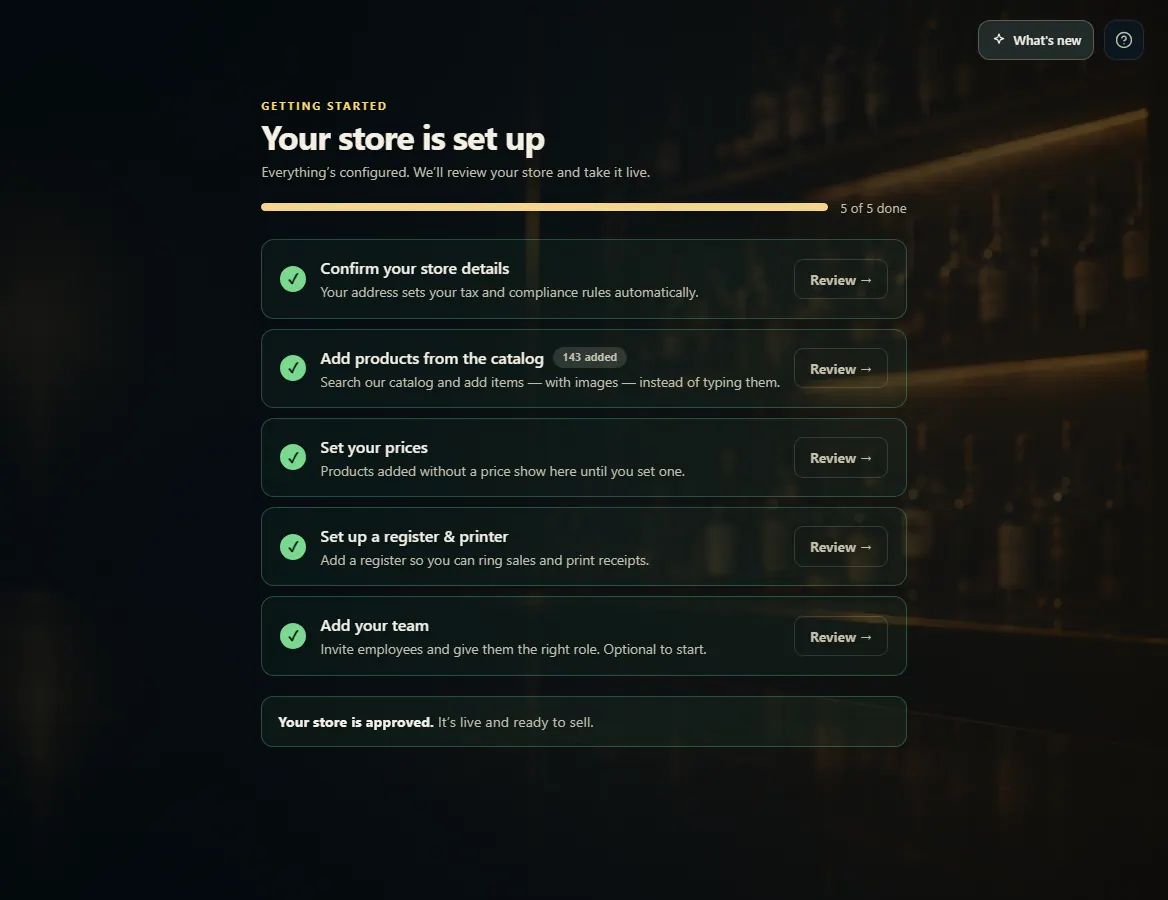 1
1