Admin → Business details holds your legal name, license number, sales-tax rate, contact info, time zone and opening hours — they print on receipts and fill your storefront's policy pages.
A step-by-step walkthrough with real screenshots · FoolProof POS for alcohol retail
Steps
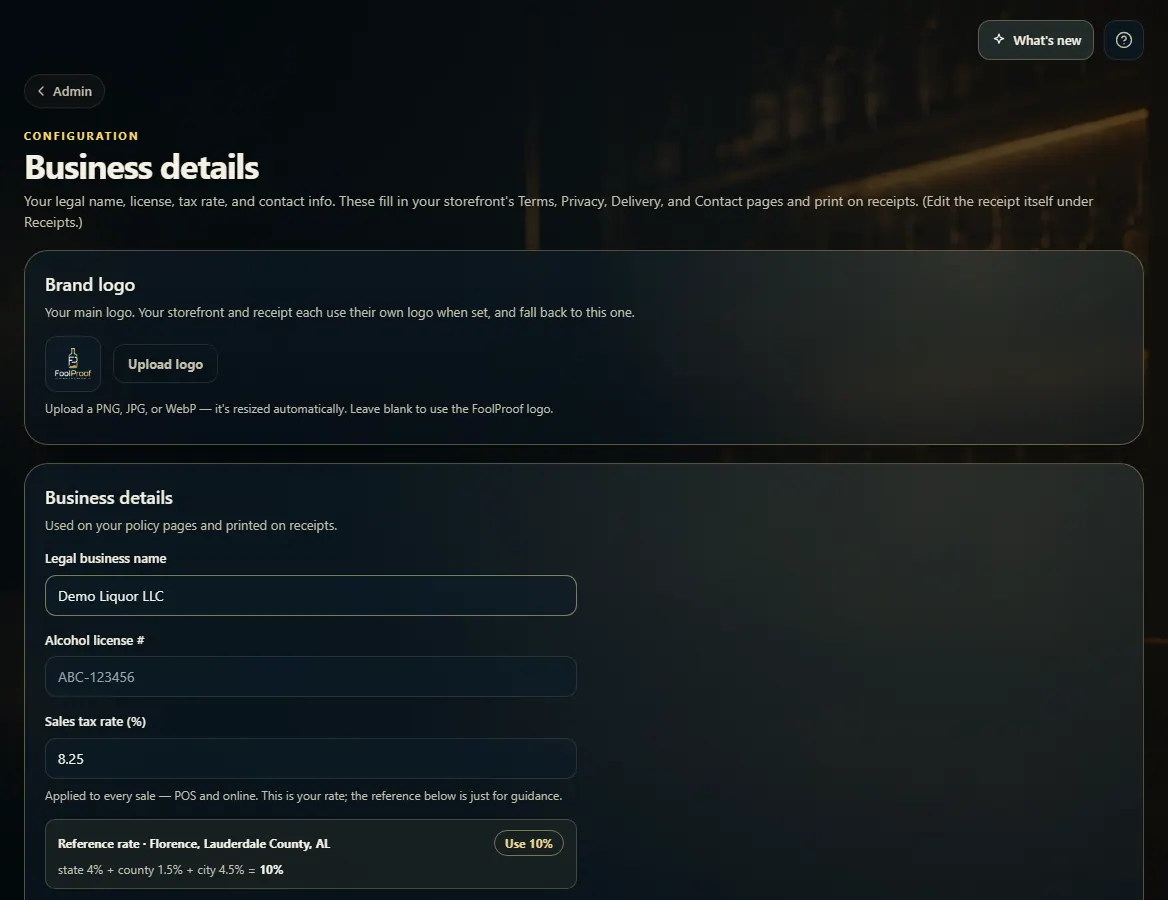
Open Admin → Business details.
Fill in Legal business name, Alcohol license #, Support email and Support phone.
Set Sales tax rate (%). It applies to every sale, in the store and online. Click Use if the reference rate shown for your area is the one you want.
Set your Opening hours for each day, and check the Time zone.
Click Save business details.
Good to know
Opening hours also decide when a trading day ends, so the day's sales close at the right time.
Own more than one store? Admin → All stores sets the legal name, contact details, receipt messages, tax rate, hours and delivery/pickup for every store at once, without switching. Admin → Stores lists your locations.
Admin → Accounting sets the account names (and Xero codes) your daily sales journal posts to. Download the journal from Reports → Accounting summary.
Selling by-the-glass pours or tastings needs an on-premise license. Turn it on in Admin → Wine tasting / on-premise pours, confirm you hold the license, and Save; then mark pour items in the product editor.
Delivery marketplaces you sell through (DoorDash, Uber Eats…) are set under Admin → Third-party sales — see Payment types, surcharges and fees.
1. Business details and tax rate
These print on your receipts and fill your storefront's Terms, Privacy, Delivery and Contact pages. Scroll down for opening hours and time zone, then Save business details.
 123
123