Selling at the register
 123
123
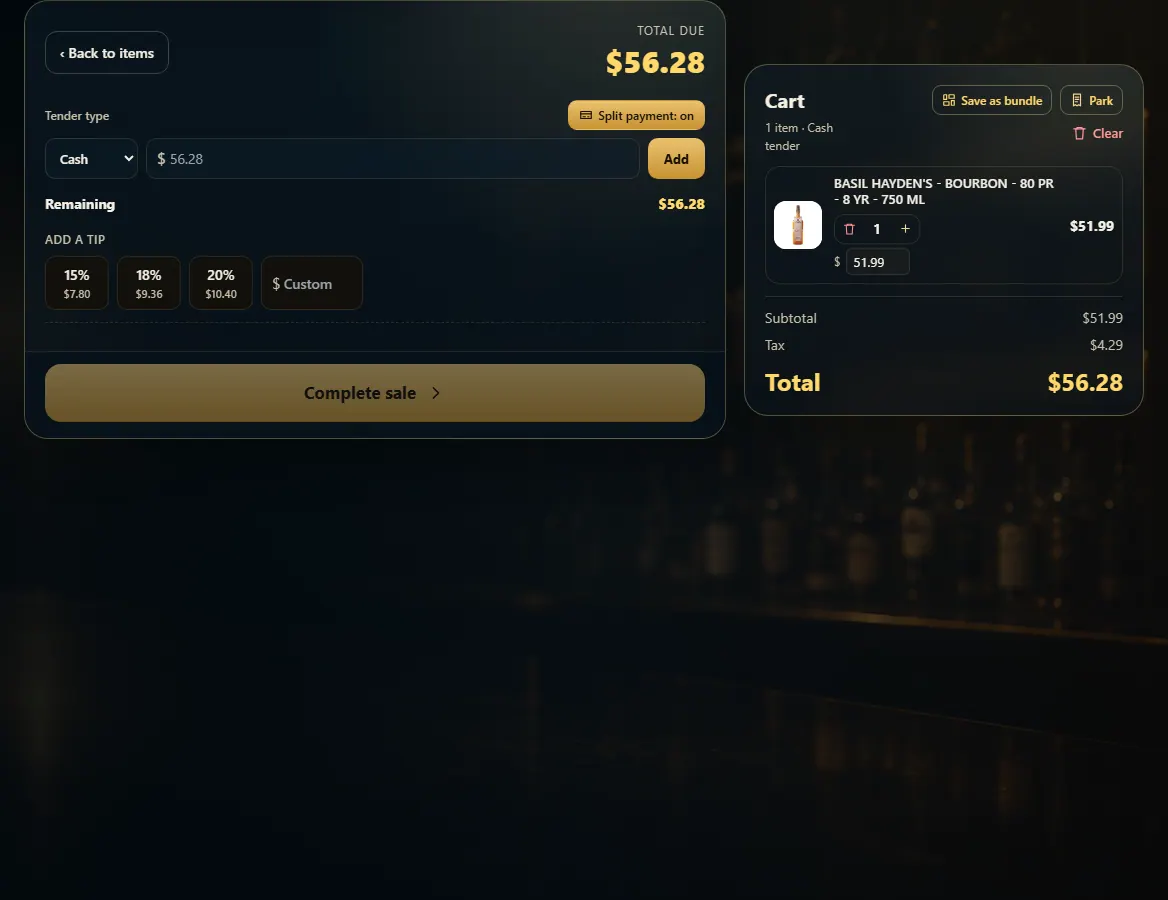
Split a payment across cash, card and gift card
Turn on Split payment, add each part with its type and amount until Remaining is $0.00, then Complete sale.
Steps
- With the items in the cart, press Pay.
- Press Split payment.
- Pick a type (Cash, Card or Gift card), type the amount and press Add.
- For a gift card part, scan or type the gift card code.
- Repeat until Remaining shows $0.00, then press Complete sale.
Good to know
- Remove a part with its ×. Complete sale stays off until the parts cover the total.
1. Add each part
Remaining counts down as you add parts.
123- 1Split payment on.
- 2Pick a type, type an amount, press Add.
- 3Keep going until this is $0.00.