Selling at the register
 1234
1234
Take cash and make change
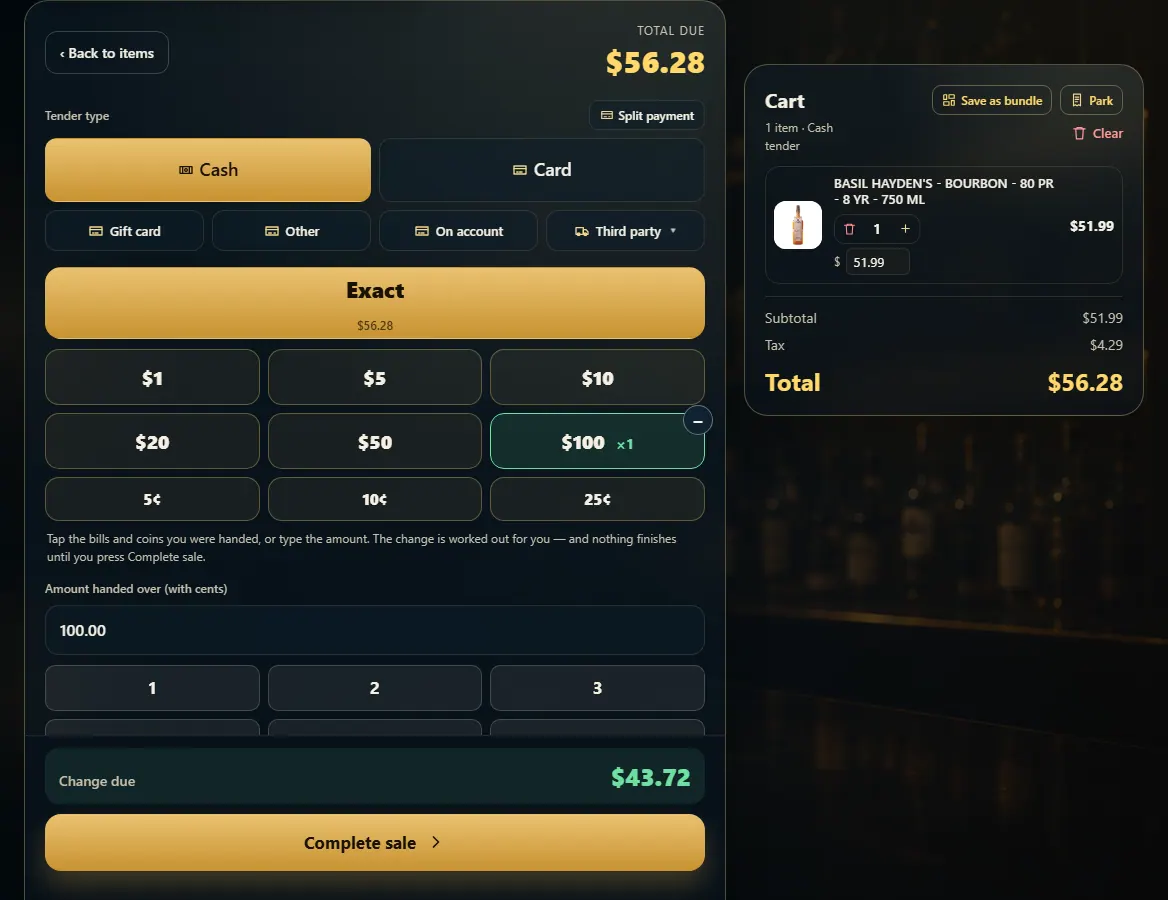
Pick Cash, tap the bills you were handed (or type the amount), read the change due, then Complete sale.
Steps
- With the items in the cart, press Pay.
- Pick Cash.
- Tap the bills and coins the customer handed you — tap $20 twice for $40 — or type the amount, or press Exact.
- Read Change due (or Still owed if it isn't enough yet).
- Press Complete sale. The drawer opens and the receipt prints.
Good to know
- Nothing finishes until you press Complete sale, so a stray tap on a bill never rings anything.
- Cash needs an open drawer. A card-only terminal or a roaming phone hides Cash.
1. Tap what they handed you
Each tap on a bill adds it; the − takes one off. The change is worked out for you.
1234- 1Pick Cash.
- 2Tap the bills and coins you were handed.
- 3The change to give back.
- 4Finish the sale.