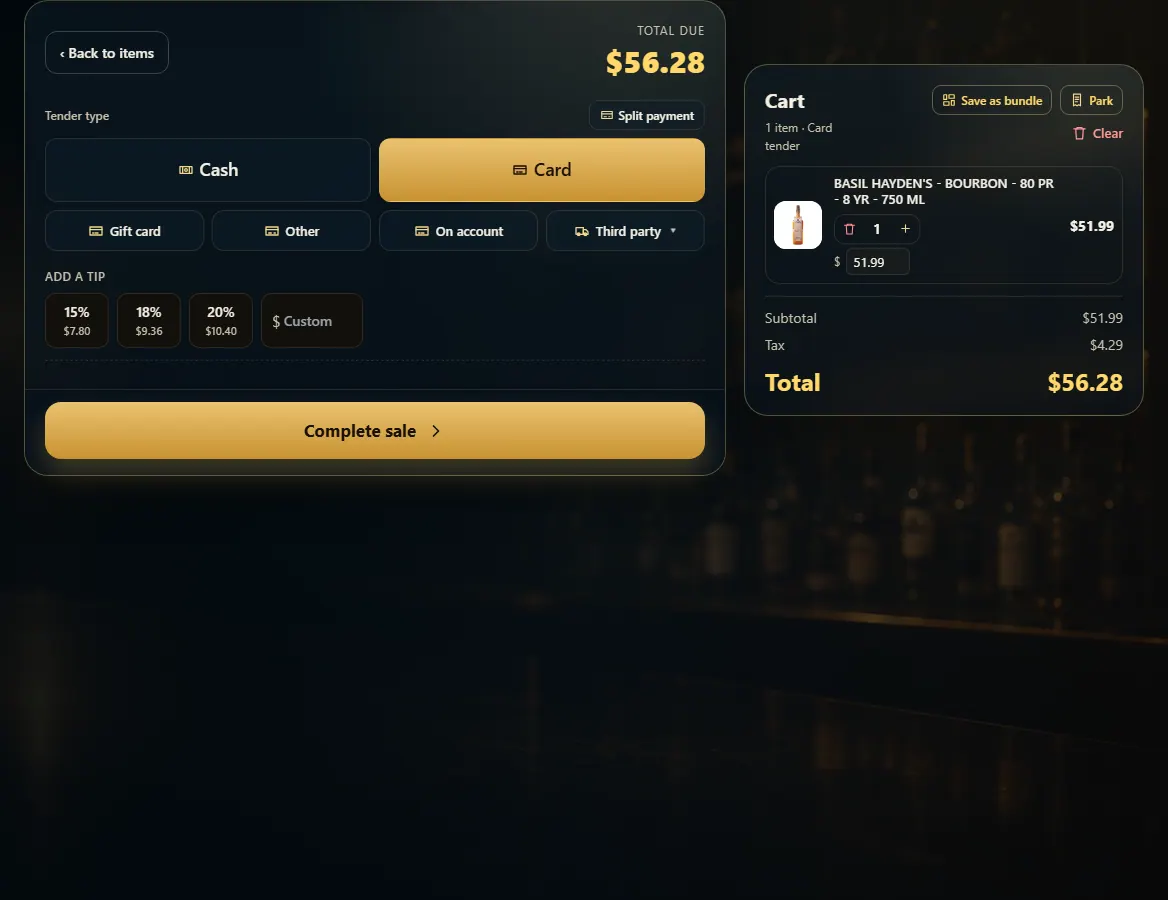
Pick Card and press Complete sale; the card terminal asks the customer to insert, tap or swipe.
A step-by-step walkthrough with real screenshots · FoolProof POS for alcohol retail
Steps
With the items in the cart, press Pay.
Pick Card. If you see Card entry, leave it on Terminal.
Press Complete sale.
Have the customer insert, tap or swipe on the reader. The screen says "Waiting for the terminal" until it's approved.
Press Cancel on that screen if the customer changes their mind before paying.
Good to know
Manual entry (type the card in) asks for the card number, expiry, CVV, billing street and ZIP.
While a card is being charged the cart is locked so it can't change under the customer. If a card was approved but the sale didn't finish, New Sale offers to restore the cart or void the charge.
Tap to Pay on phones is turned on in Admin → New Sale → Tender type.
The card goes to the terminal set up for this register in Admin → Hardware.
If your store takes tips, Add a tip shows under the payment types (or the terminal asks for it, depending on Admin → Payments).
1. Pick Card and complete
Card sends the total to this register's terminal when you press Complete sale.
 12
12