Getting started
 123
 123
Open a support ticket and follow it
Ask FoolProof for help on the Support page, then read our replies and your past tickets in one place.
Steps
- Open Support from the menu.
- Press New ticket, fill in the Subject and Details, and pick a Priority. Choose Urgent only if your store is down.
- Press Send ticket. Your ticket opens, and we reply here and by email.
- To answer us, type in Your reply on the ticket and press Send reply.
- When it's sorted, press Close ticket. If the problem comes back, open it from the Closed tab and press Reopen ticket, or just reply.
Good to know
- Support needs a connection. If your store is offline, you can keep selling for cash, and a phone on cell data can still reach this page.
- Everyone at your store who can open this page sees all of the store's tickets, so don't put passwords or card numbers in a ticket.
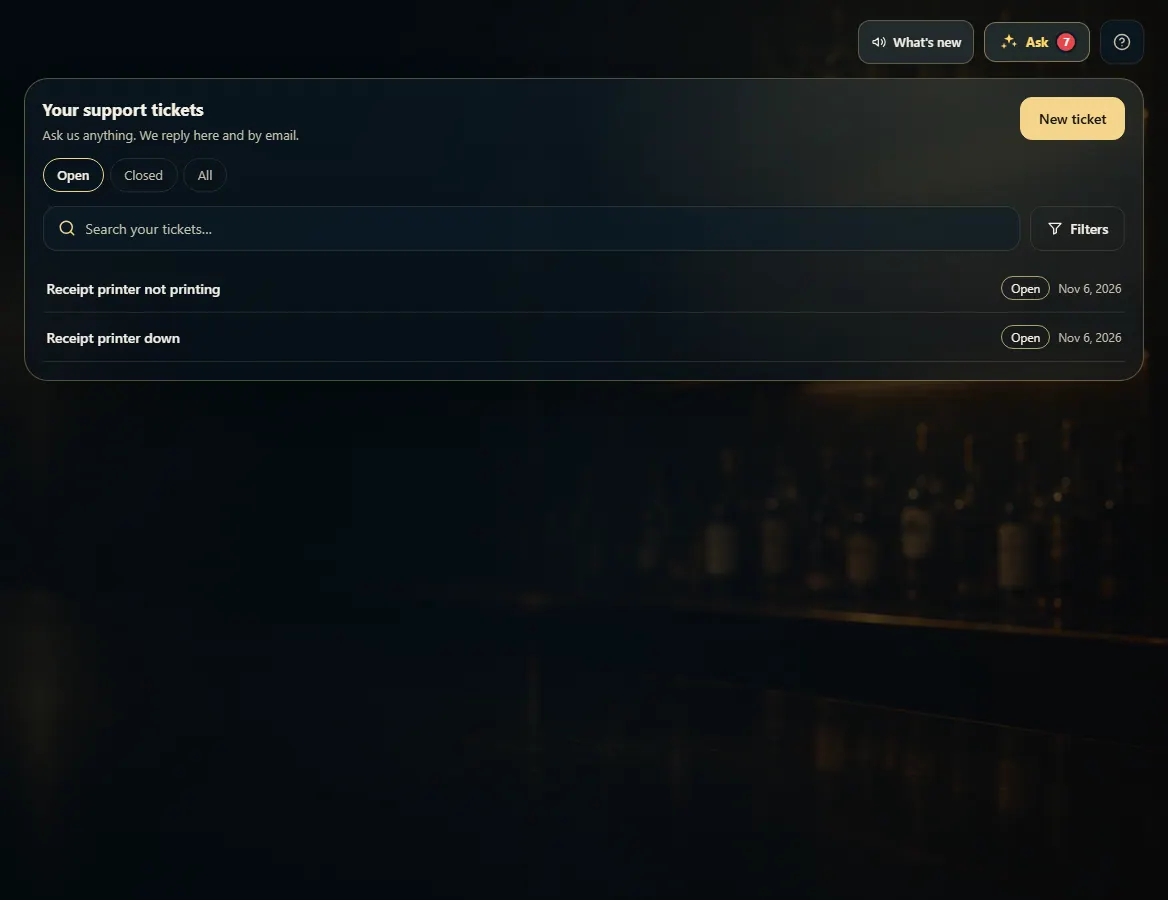
1. Your tickets
Open tickets show first. Use the tabs to see closed ones, and search to find an old one.
123- 1Ask us something new.
- 2Switch between open and closed tickets.
- 3Open a ticket to read the conversation.
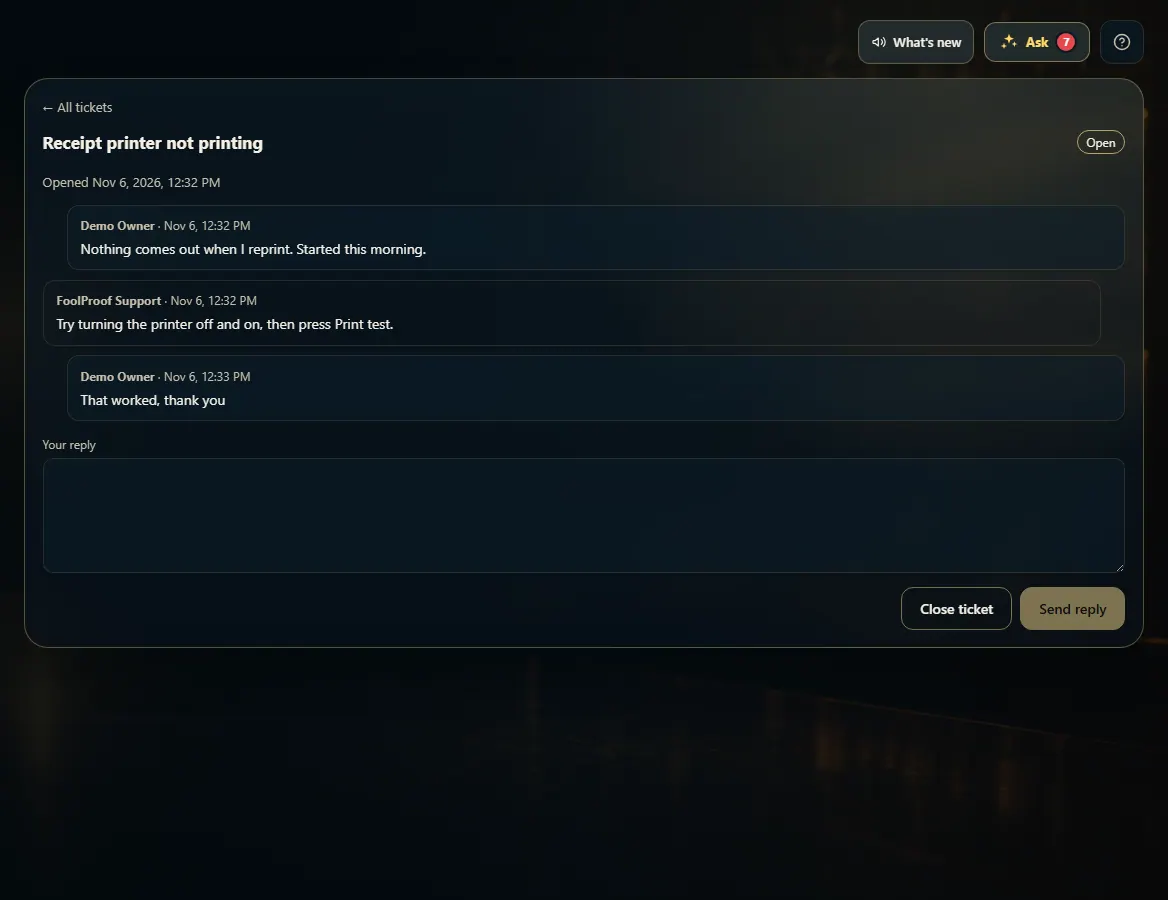
2. One ticket
The whole conversation is here. Reply from this page, and close the ticket when it's sorted.
123- 1Everything you and FoolProof have said.
- 2Type your reply here.
- 3Close it when it's sorted.