Keep your distributors, suppliers and the Alabama ABC Board in Admin → Vendors — name, type, contact, terms and ordering schedule.
A step-by-step walkthrough with real screenshots · FoolProof POS for alcohol retail
Steps
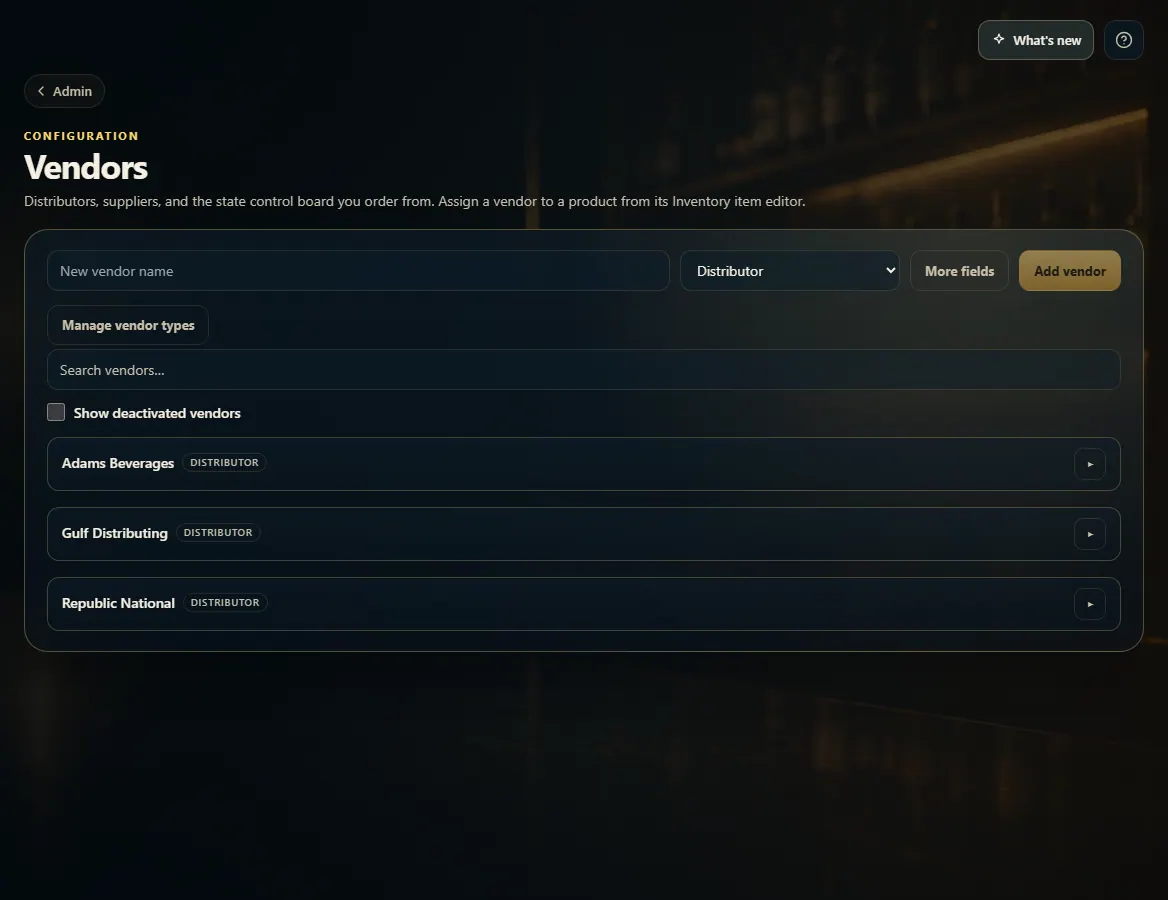
Open Admin and choose Vendors.
To add one, type the New vendor name, pick its type, and click Add vendor (More fields lets you add contact and terms up front).
To edit, click the vendor to open it, change the fields, and click Save.
To stop using one, open it and click Deactivate.
Good to know
Lead time, Target days of supply and Order day feed the reorder suggestions on Receiving.
A deactivated vendor drops off the pickers but keeps its history. Tick Show deactivated vendors to see it again.
Manage vendor types lets you add your own types (for example Broker) or rename them.
To set which vendor supplies a product, open the product from Inventory.
1. Add a vendor
Type the name, pick the type and click Add vendor. Open More fields first if you want to enter the account number, contact, terms and ordering schedule now.
1234
1New vendor name.
2Distributor, Supplier or State control board.
3Add it.
4Click a vendor to edit it.
2. Edit or deactivate
An open vendor shows every field. Change what you need and click Save, or Deactivate to retire it without losing its history.
123
1Lead time and order day feed reorder suggestions.
 1234
1234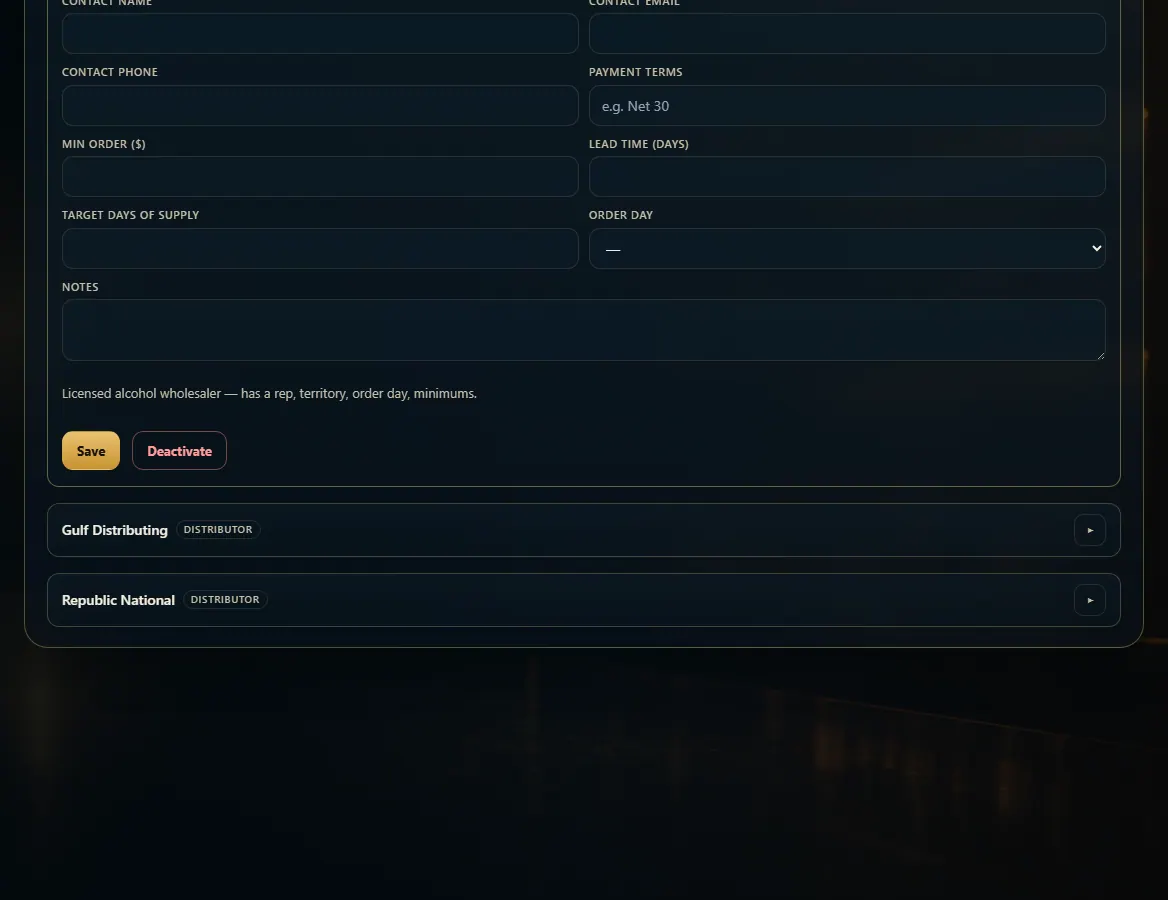 123
123