Store settings & hardware
 123
123
Turn the AI assistant on or off
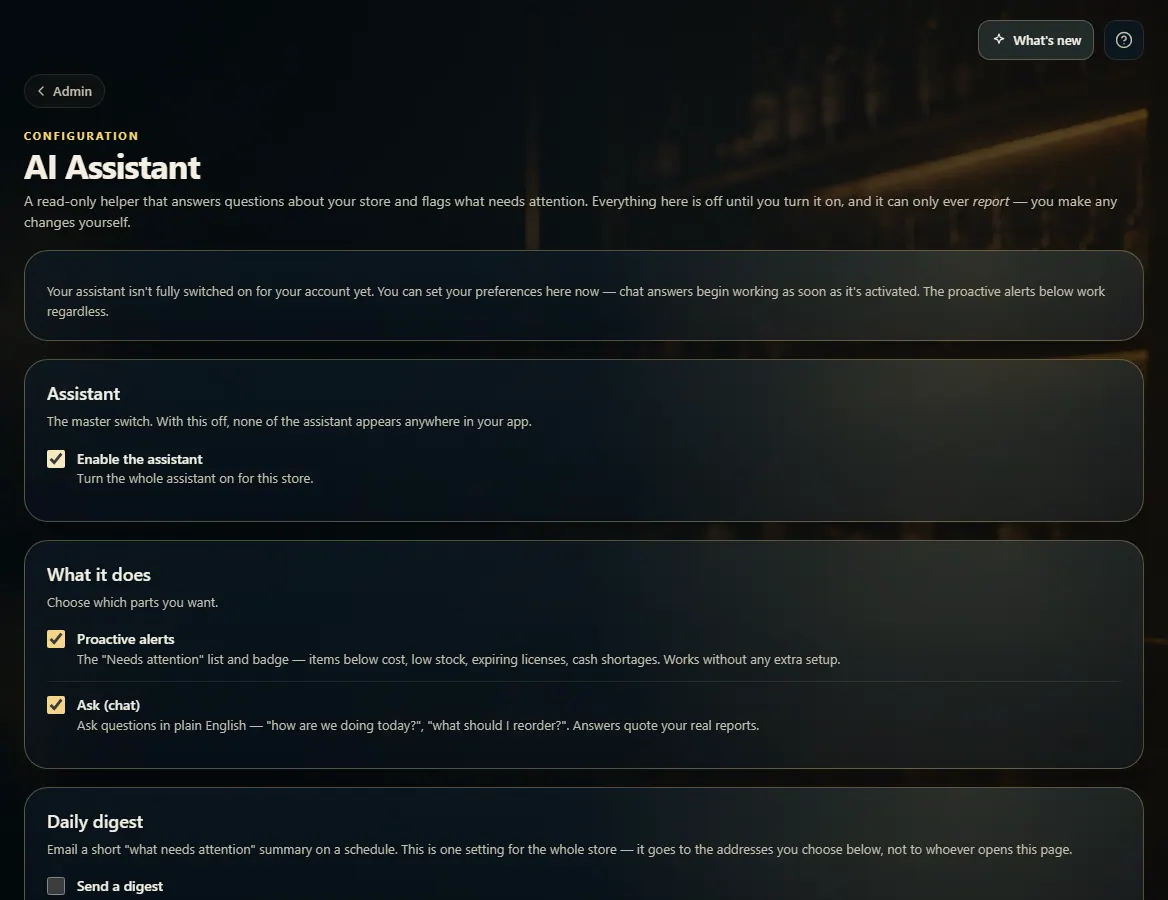
Admin → AI Assistant turns the store assistant on or off and chooses its parts — alerts, chat and a daily digest email.
Steps
- Open Admin → AI Assistant.
- Tick Enable the assistant to turn it on for the store (untick it to hide the assistant everywhere).
- Under What it does, choose Proactive alerts and Ask (chat).
- To get an email summary, tick Send a digest, then choose How often, the Time of day and who to Send to.
- Click Save assistant settings.
Good to know
- This is one setting for the whole store, not per person.
- The assistant can only report and suggest — you make any changes yourself.
- Controlling the assistant is its own permission. Give it to a role (or keep it from one) in Employees → Roles.
- If chat answers aren't switched on for your account yet, the page says so; the alerts work anyway.
1. The master switch and the parts
Enable the assistant turns it on. Then pick the parts you want and, if you like, a digest email.
123- 1Turn the assistant on for the store.
- 2Pick alerts and chat.
- 3Optional summary email.