Inventory & products
 123
123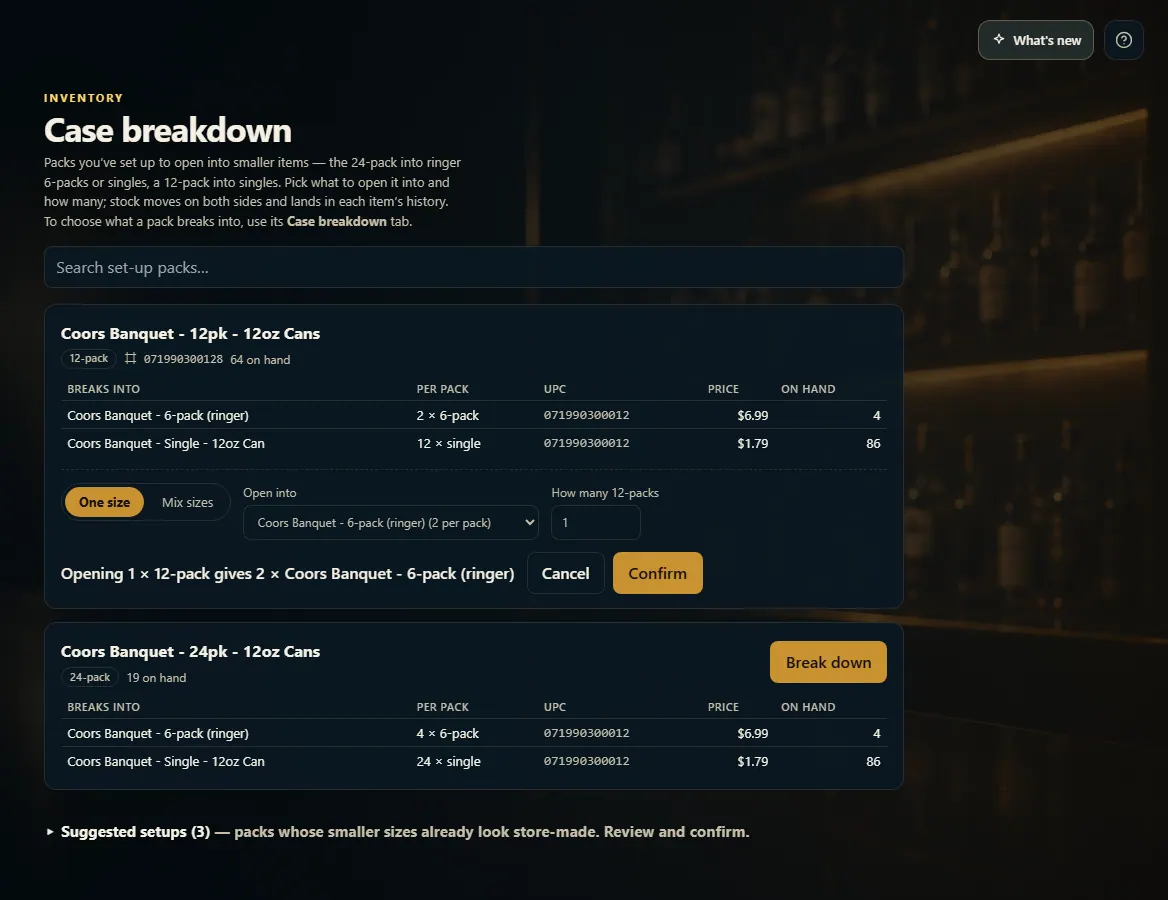 1234
1234
Break down a case
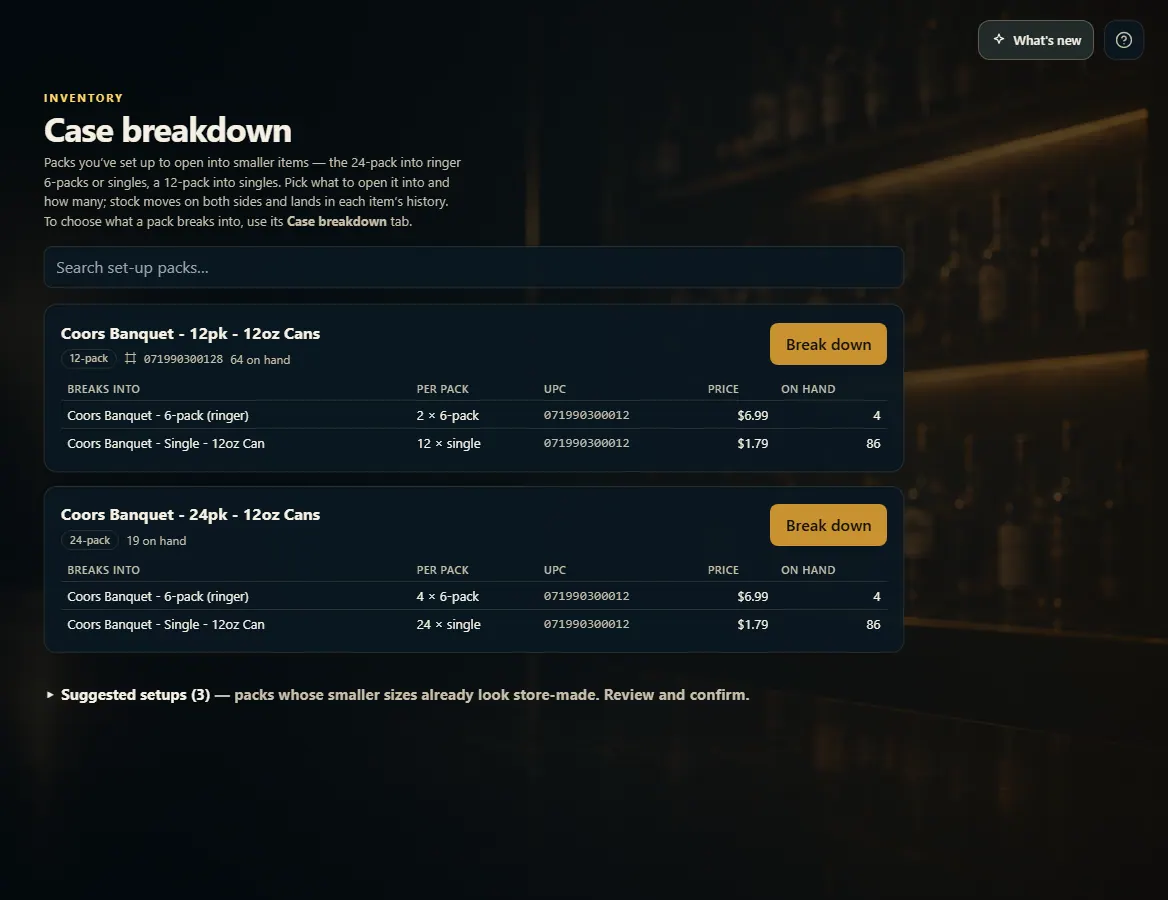
On Case Breakdown, open a pack into the smaller items you set up — the stock moves from the pack to the smaller items in one step.
Steps
- Open Case Breakdown from the menu.
- Find the pack and click Break down.
- Under Open into pick the item, and type how many packs you're opening.
- To split one pack into different sizes, click Mix sizes and type how many of each.
- Click Confirm.
Good to know
- Only packs you've set up appear here. To choose what a pack opens into, use its Case breakdown tab.
- The pack goes down and the smaller item goes up; both show it on their History tab.
- You can also open packs from the pack's own Case breakdown tab with Open packs into this.
1. Find the pack
Each card shows the pack, its on-hand, and what it breaks into with how many per pack.
123- 1Search your set-up packs.
- 2What it breaks into, and how many per pack.
- 3Open some packs.
2. Open it
Pick what to open it into and how many packs. Confirm moves the stock.
1234- 1One size, or mix sizes.
- 2What to open it into.
- 3How many packs.
- 4Confirm.