Selling at the register
 123
123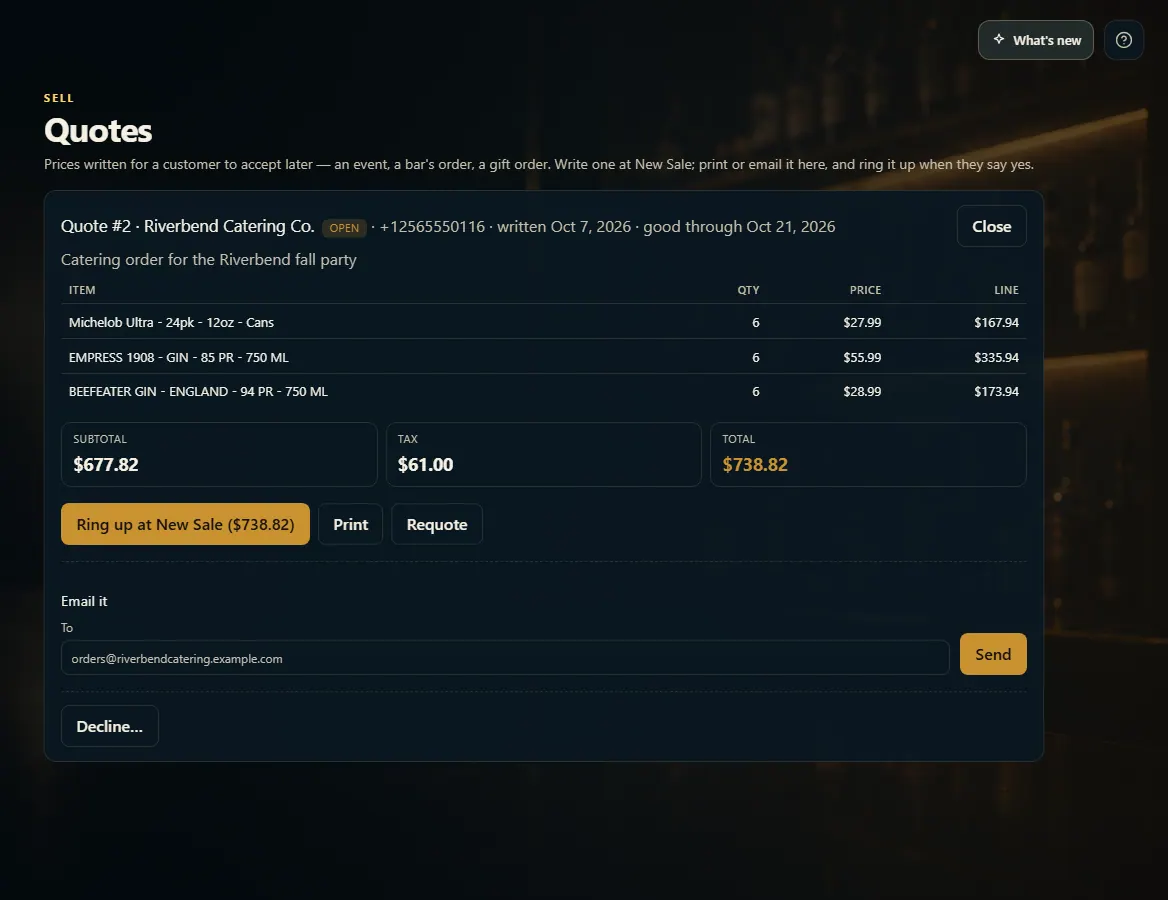 123
123
Write a quote and ring it up later
At New Sale, add the items, attach the customer and press Quote; under Sell → Quotes you can print or email it and ring it up at the quoted prices.
Steps
- Turn quotes on in Admin → New Sale → "Write quotes at New Sale".
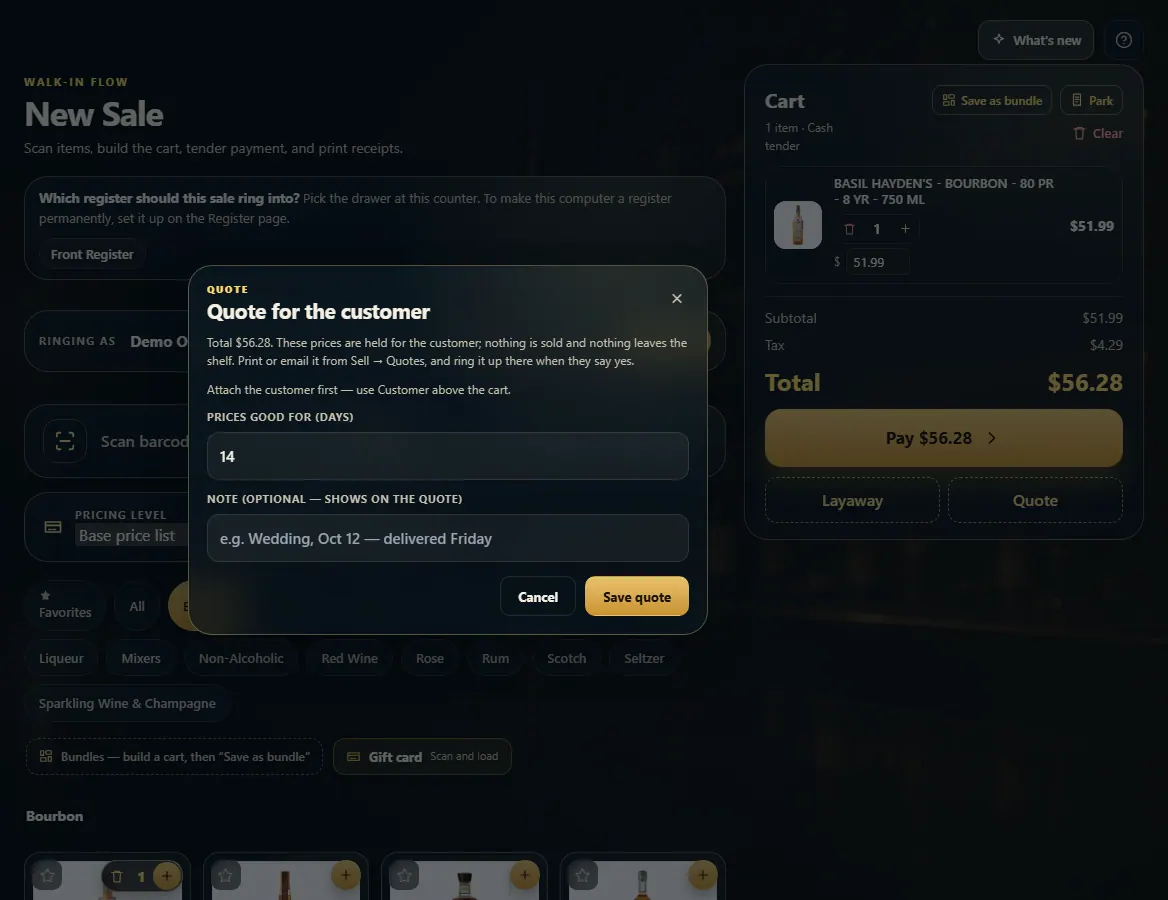
- Ring up the items, attach the customer, and press Quote under Pay.
- Set Prices good for (days), add a note if you like, and press Save quote.
- Open Sell → Quotes and open the quote to Print it, or type an address under Email it and press Send.
- When they say yes, press Ring up at New Sale to load it at the quoted prices.
Good to know
- Nothing is sold and nothing leaves the shelf until the quote is rung up.
- Requote loads the items at today's prices into a normal cart, to change it or write a new one.
- Decline… closes a quote you won't need, with an optional reason.
1. Save the quote
Quote sits under Pay once there are items in the cart. Attach the customer first.
123- 1How long the prices hold.
- 2A note printed on the quote.
- 3Save it.
2. Print, email, or ring it up
Open the quote under Sell → Quotes. Ring up loads it at New Sale at the quoted prices.
123- 1Ring it up at the quoted prices.
- 2Print it.
- 3Email it to the customer.