Selling at the register
 123
123
Sell a gift card
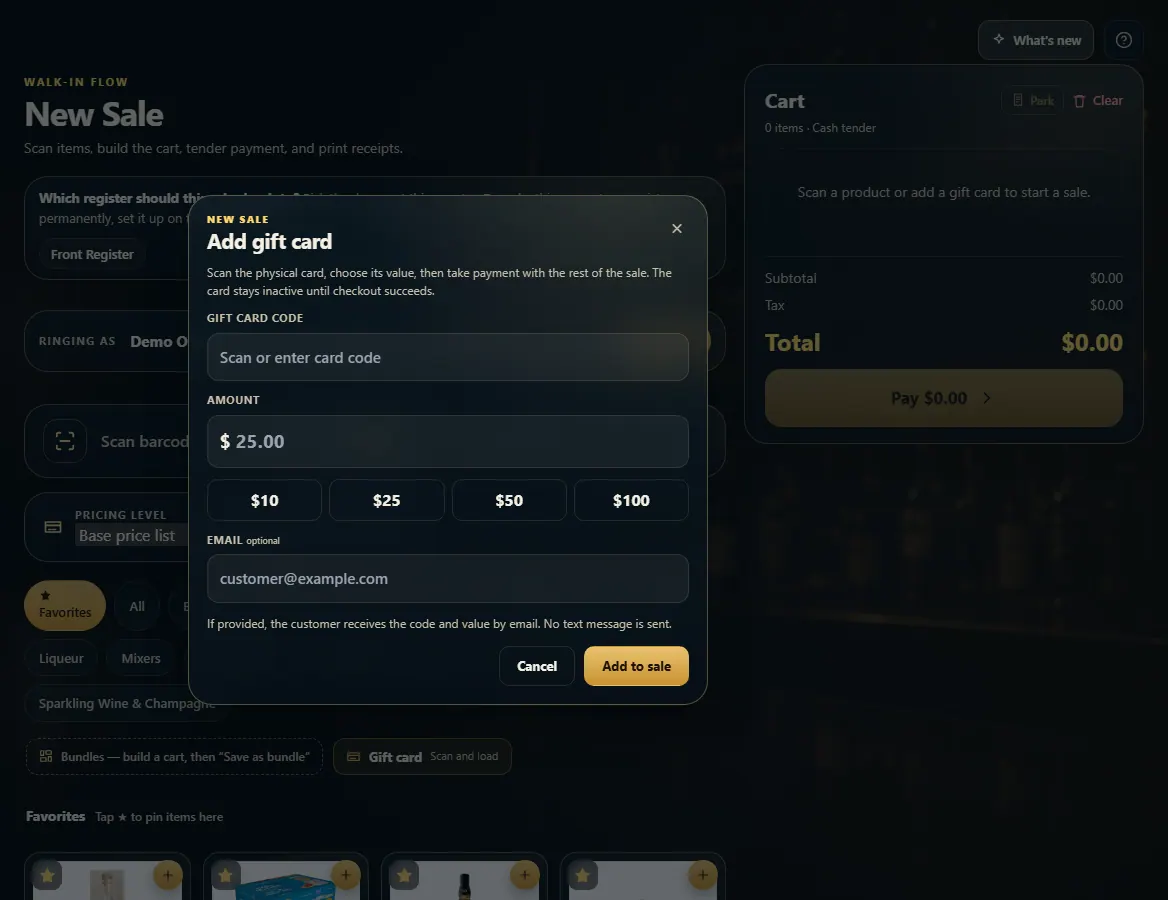
On New Sale press Gift card, scan the card, pick its value and Add to sale — it activates when the sale is paid.
Steps
- Open New Sale and press Gift card (Scan and load).
- Scan the card or type its code.
- Pick $10, $25, $50 or $100, or type an amount.
- Add the customer's email if they want the code and value emailed.
- Press Add to sale, then press Pay and take payment like any sale.
Good to know
- The card stays inactive until the sale is completed.
- To pay WITH a gift card, pick Gift card at payment and scan the code.
- To add money to a card that's already active, use Reload on the Gift Cards page.
1. Scan and load the card
The card is a line in the cart and activates when payment goes through.
123- 1Scan or type the card code.
- 2Pick a value, or type one.
- 3Add it to the sale.